Create a sticky vertical sidebar menu that enhances navigation and highlights important links on your website.
★ 4.0/5 (12)7,000+ active installations
- Version
- 5.5.3
- WordPress
- 4.3+
- PHP
- 7.4+
- Updated
- 25 Aug 2026
View plugin details ↗Create a WordPress document library to manage, search and download files.
★ 4.1/5 (12)4,000+ active installations
- Version
- 1.3.2
- WordPress
- 6.1+
- PHP
- 7.4+
- Updated
- 28 Oct 2026
View plugin details ↗Responsive slider plugin to create sliders in visual editor easily. Build beautiful image slider, layer slider, video slider, post slider, and more.
★ 4.9/5 (1,126)800,000+ active installations
- Version
- 3.5.1.40
- WordPress
- 5.0+
- PHP
- 7.0+
- Updated
- 28 Oct 2026
View plugin details ↗Loginizer is a WordPress security plugin which helps you fight against bruteforce attacks.
★ 4.8/5 (1,034)1,000,000+ active installations
- Version
- 2.1.4
- WordPress
- 3.0+
- PHP
- 5.5+
- Updated
- 19 Nov 2026
View plugin details ↗Duplicate post
★ 4.9/5 (1,634)300,000+ active installations
- Version
- 1.5.8
- WordPress
- 4.6+
- PHP
- 5.6+
- Updated
- 10 Nov 2026
View plugin details ↗Free Elementor addons plugin with 80+ widgets, 5+ extensions, Theme builder, 250+ Elementor templates, 500+ modern UI sections for Elementor websites.
★ 5.0/5 (6)3,000+ active installations
- Version
- 2.2.3
- WordPress
- 5.0+
- PHP
- 5.6+
- Updated
- 28 Oct 2026
View plugin details ↗Places an icon, all time views count and views today count at the bottom of posts, pages and custom post types on any WordPress website.
★ 4.0/5 (55)10,000+ active installations
- Version
- 2.9.2
- WordPress
- 6.0+
- Updated
- 9 Jul 2026
View plugin details ↗
By Octolize Shipping Plugins
Offer USPS shipping methods with real-time rates. Show dynamic prices at WooCommerce cart and checkout based on weight and destination.
★ 4.7/5 (30)3,000+ active installations
- Version
- 3.6.3
- WordPress
- 6.4+
- PHP
- 7.4+
- Updated
- 27 Oct 2026
View plugin details ↗Documentation, FAQ & Knowledge Base plugin to create docs, FAQs, product FAQ, wikis & help center with MCP, AI writing, instant answers & AI Chatbot.
★ 4.8/5 (517)30,000+ active installations
- Version
- 4.9.7
- WordPress
- 6.4+
- PHP
- 7.4+
- Updated
- 17 Nov 2026
View plugin details ↗A collection of beautiful and elegant UI addons that extend WPBakery Page Builder with 24 ready-to-use content elements.
★ 5.0/5 (1)3,000+ active installations
- Version
- 4.3.1
- WordPress
- 5.0.3+
- Updated
- 17 Nov 2026
View plugin details ↗Create impressive, lightweight, responsive WooCommerce product layouts. Compatible with popular themes & page builders.
★ 5.0/5 (15)1,000+ active installations
- Version
- 1.4.6
- WordPress
- 6.2+
- PHP
- 7.4+
- Updated
- 14 Oct 2026
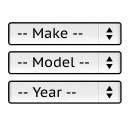
View plugin details ↗It will find products for selected make and model.
★ 5.0/5 (34)1,000+ active installations
- Version
- 1.0.12
- WordPress
- 4.7+
- Updated
- 20 Nov 2026
View plugin details ↗