Sticky Menu or Sticky Header sticks elements at the top of the screen when you scroll, or create a floating sticky menu or fixed widget.
★ 4.7/5 (763)90,000+ active installations
- Version
- 2.36
- WordPress
- 3.6+
- PHP
- 5.2+
- Updated
- 16 Aug 2026
View plugin details ↗Manages your WordPress database.
★ 4.4/5 (95)50,000+ active installations
- Version
- 4.0.0
- WordPress
- 6.8+
- PHP
- 8.2+
- Updated
- 9 Aug 2026
View plugin details ↗Blocks spam the moment you activate it. No CAPTCHA, no setup, no API key. Multi-Layer. Just install and forget.
★ 4.7/5 (87)30,000+ active installations
- Version
- 3.3.0
- WordPress
- 6.2+
- PHP
- 7.4+
- Updated
- 19 Nov 2026
View plugin details ↗Free AI chatbot and content generation for WordPress. Train ChatGPT, Claude, Gemini or Grok on your content. WooCommerce ready with RAG.
★ 5.0/5 (31)2,000+ active installations
- Version
- 3.2.29
- WordPress
- 5.3+
- PHP
- 7.4+
- Updated
- 17 Nov 2026
View plugin details ↗Password protect your WordPress site with one password. Control access, whitelist trusted IPs, and monitor password activity.
★ 4.4/5 (143)300,000+ active installations
- Version
- 2.8.7
- WordPress
- 6.5+
- PHP
- 7.4+
- Updated
- 18 Nov 2026
View plugin details ↗Cookie consent banner with cookie scanner & script blocking. Manage cookie consent, cookie notice & cookie policy for GDPR, CCPA & privacy compliance.
★ 4.9/5 (88)200,000+ active installations
- Version
- 1.2.1
- WordPress
- 5.6+
- PHP
- 7.0+
- Updated
- 12 Nov 2026
View plugin details ↗Hide custom menu items based on user roles.
★ 4.9/5 (219)70,000+ active installations
- Version
- 3.0.0
- WordPress
- 6.6.0+
- PHP
- 7.4+
- Updated
- 30 Oct 2026
View plugin details ↗A lightweight, real-time community chat system built with REST API and Vanilla JS. No jQuery, no reload. Full admin panel with moderation tools.
★ 5.0/5 (1)50+ active installations
- Version
- 1.4.0
- WordPress
- 5.5+
- PHP
- 7.4+
- Updated
- 16 Nov 2026
View plugin details ↗Enforce WordPress login and password security policies to protect user accounts and prevent unauthorized logins.
★ 4.8/5 (20)4,000+ active installations
- Version
- 2.4.3
- WordPress
- 5.5+
- PHP
- 8.0+
- Updated
- 11 Nov 2026
View plugin details ↗Frontend login, registration, profile and password reset forms with blocks or shortcodes. WPML certified, reCAPTCHA and WooCommerce compatible.
★ 4.7/5 (144)5,000+ active installations
- Version
- 2.0.3
- WordPress
- 5.5+
- Updated
- 16 Nov 2026
View plugin details ↗Automatically share and schedule your WordPress content on top social platforms like Facebook, Instagram, LinkedIn, TikTok, and more.
★ 4.5/5 (2,111)40,000+ active installations
- Version
- 9.1.7
- WordPress
- 6.2+
- PHP
- 7.4+
- Updated
- 6 Nov 2026
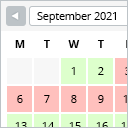
View plugin details ↗This booking calendar shows when something is booked or available. Use it to show when your holiday home is available for rent, for example.
★ 4.8/5 (227)10,000+ active installations
- Version
- 2.0.16
- WordPress
- 4.7+
- PHP
- 5.6+
- Updated
- 29 Jun 2026
View plugin details ↗