This plugin creates a widget which easily displays the social badges from the leading social media websites in a clear an elegant way.
★ 4.6/5 (5)100+ active installations
- Version
- 2.7.0
- WordPress
- 3.0.0+
- Updated
- 17 Sep 2015
View plugin details ↗Simple, light weight plugin to add the "theme-color" meta tag to your website. Compatible with (Android, iOS and Windows Phone).
0+ active installations
- Version
- 1.0.0
- WordPress
- 4.2+
- Updated
- 25 Jun 2017
View plugin details ↗
By CreativeMindsSolutions
Authorized Store is a retailer/brand vetting service. The Seal and Certificate identify your e-store as “ Authorized” for all brands carried.
10+ active installations
- Version
- 1.0.0
- WordPress
- 4.4+
- Updated
- 9 Aug 2016
View plugin details ↗Give users a quick and easy way to provide feedback. Feedback is sent directly to you, away from competitors eyes. Increases leads and conversions.
★ 4.3/5 (3)40+ active installations
- Version
- 1.3.0
- WordPress
- 3.5+
- Updated
- 22 Apr 2015
View plugin details ↗Advanced Skins for Social Media Feather adds six customizable skins to the Social Media Feather settings.
10+ active installations
- Version
- 1.0
- WordPress
- 2.5+
- Updated
- 15 Mar 2019
View plugin details ↗Displays an Airliners.net picture (Random, Top Of Yesterday, or specific picture by ID) using official Airliners.net script
★ 1.0/5 (2)10+ active installations
- Version
- 1.1.1
- WordPress
- 2.8+
- Updated
- 9 Jun 2015
View plugin details ↗Js-Scrollbox that scroll images of gray-scale and showing original image on hover.
★ 5.0/5 (2)10+ active installations
- Version
- 1.1
- WordPress
- 3.4+
- Updated
- 29 May 2014
View plugin details ↗Simple and powerful real-time betting odds payout calculator widget for your website or blog. Betting Odd calculator automatically calculates your pay …
10+ active installations
- Version
- 1.0.0
- WordPress
- 3.1+
- PHP
- 5.3.29+
- Updated
- 11 Jan 2019
View plugin details ↗A random maze generator.
20+ active installations
- Version
- 3
- WordPress
- 3+
- Updated
- 25 Aug 2018
View plugin details ↗Get a clean, beautiful and customizable new look on your WordPress Admin Dasboard.
★ 4.2/5 (5)80+ active installations
- Version
- 0.1.0
- WordPress
- 3.8+
- Updated
- 15 Jul 2016
View plugin details ↗Get accurate and beautiful weather forecasts powered by Wunderground.com
★ 3.7/5 (50)3,000+ active installations
- Version
- 2.1.3
- WordPress
- 3.6+
- Updated
- 28 Nov 2017
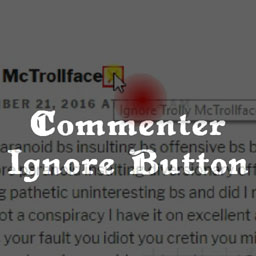
View plugin details ↗Empower your users with a convenient tool to conceal comments by trolls and other annoying commenters.
★ 5.0/5 (1)10+ active installations
- Version
- 1.0
- WordPress
- 3.1+
- Updated
- 11 Nov 2016
View plugin details ↗