Add Like button to posts, pages, comments, WooCommerce, BuddyPress, bbPress, UM, custom posts! Sort content by likes! Get instant stats and insights!
★ 4.4/5 (273)3,000+ active installations
- Version
- 2.6.65
- WordPress
- 2.8+
- Updated
- 29 Oct 2026
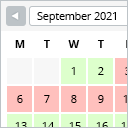
View plugin details ↗This booking calendar shows when something is booked or available. Use it to show when your holiday home is available for rent, for example.
★ 4.8/5 (227)10,000+ active installations
- Version
- 2.0.16
- WordPress
- 4.7+
- PHP
- 5.6+
- Updated
- 29 Jun 2026
View plugin details ↗An xterm-like plugin to run non-interactive shell commands.
★ 5.0/5 (15)4,000+ active installations
- Version
- 1.3
- WordPress
- 5.0+
- PHP
- 7.0+
- Updated
- 16 Aug 2026
View plugin details ↗Monitor every change on your WordPress site — who did what, when, and where it came from — for a complete audit trail and stronger security.
★ 4.3/5 (74)200,000+ active installations
- Version
- 2.18.0
- WordPress
- 6.2+
- PHP
- 7.4+
- Updated
- 28 Oct 2026
View plugin details ↗90+ Gutenberg Blocks & AI Website Builder with 1000+ Templates. Complete Page Builder, Popup Builder, Mega Menu, Form Builder & More. No Code.
★ 4.8/5 (90)9,000+ active installations
- Version
- 5.0.11
- WordPress
- 5.6+
- PHP
- 7.4+
- Updated
- 17 Nov 2026
View plugin details ↗Optimize WordPress performance with server-level caching, Redis purging, and page speed tools for FlyWP-powered cloud servers.
★ 5.0/5 (3)4,000+ active installations
- Version
- 1.10.0
- WordPress
- 5.0+
- Updated
- 18 Nov 2026
View plugin details ↗Build a beautiful, responsive, and filterable portfolio grid with images, videos, and custom links in minutes. Includes a native Gutenberg block.
★ 4.6/5 (18)1,000+ active installations
- Version
- 1.0.28
- WordPress
- 4.9+
- PHP
- 5.6+
- Updated
- 2 Sep 2026
View plugin details ↗See what visitors search for on your site and which searches come up empty. Popular search terms and statistics, stored in your own database.
★ 5.0/5 (30)3,000+ active installations
- Version
- 1.6.2
- WordPress
- 4.7+
- PHP
- 5.6+
- Updated
- 13 Nov 2026
View plugin details ↗Connect WordPress accounts to Active Directory or OpenLDAP, with group access rules and automatic account creation.
★ 4.3/5 (18)1,000+ active installations
- Version
- 2.0.1
- WordPress
- 6.5+
- PHP
- 8.1+
- Updated
- 19 Nov 2026
View plugin details ↗The Ultimate Coming Soon Page, Maintenance Mode & Under Construction plugin — powered by the Gutenberg Block Builder. Create stunning Landing Page …
★ 4.5/5 (6)9,000+ active installations
- Version
- 2.0.2
- WordPress
- 6.3+
- PHP
- 7.4+
- Updated
- 21 Jul 2026
View plugin details ↗Filter extension for the famous Statify WordPress plugin.
★ 5.0/5 (1)2,000+ active installations
- Version
- 1.8.0
- WordPress
- 5.1+
- PHP
- 7.4+
- Updated
- 20 Sep 2026
View plugin details ↗Geared towards content authors, Sa11y straightforwardly identifies accessibility issues at the source.
★ 5.0/5 (1)300+ active installations
- Version
- 1.2.9
- WordPress
- 5.6+
- PHP
- 7.2+
- Updated
- 30 Jul 2026
View plugin details ↗