Evangelische Termine
By habakuk
Shows the events of the German Protestant event calendar "Evangelische Termine" on your site, with shortcodes and a widget.
★ 3.0/5 (2)100+ active installations
- Version
- 3.4
- WordPress
- 5.0+
- PHP
- 7.4+
- Updated
- 15 Nov 2026
WORDPRESS RESOURCES
Explore public plugin information from the official WordPress.org directory. Compare what a plugin does, its requirements and update history before adding it to your website.
Explore WordPress hosting →5,243 matching plugins reported by WordPress.org · Page 25 of 50
Source: WordPress.org
Data refreshed 21 Nov 2026 03:27 UTC
By habakuk
Shows the events of the German Protestant event calendar "Evangelische Termine" on your site, with shortcodes and a widget.

By bkoding
Find all posts and pages on your WordPress site that have no internal links pointing to them — fix your orphan pages fast.

By Omajemite Don
Professional security plugin protecting WordPress from malicious bots, spam, and server attacks using an advanced Web Application Firewall.

By Mário Valney
Add Braspag payment to your WooCommerce e-commerce!
Lightweight CMP for WordPress: cookie banner, Consent Mode v2, GTM, Polylang/WPML-ready.
Accept crypto and card payments on WooCommerce at a ~1% fee. Instant approval, no KYC, high-risk friendly. USDC, USDT, Visa, Apple Pay, Google Pay.
By miabou
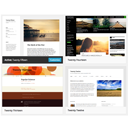
Select different Themes for one or more WordPress Pages, Posts or other non-Admin pages. Or Site Home.

By QOT Studio
Adds a copyright notice and a link to the original article at the end of every post in your feed, so copied feeds still credit you.
WooCommerce product and category sliders with a no-crop mode that shapes each frame to its photo. Gutenberg block, Elementor widget and shortcode.
Turn off WordPress features you don't use: XML-RPC, Heartbeat, emojis, comments and more. Every switch says what it might break.

By Wyatt Kirby
Gate files behind your Contact Form 7 forms.
Fills in missing translations for the plugins and themes already installed on your site.
CHOOSE WHAT YOUR WEBSITE NEEDS
Start with the task you need to solve. Compare features, WordPress and PHP requirements, update history and the author’s documentation. Test changes on a private copy and avoid adding several plugins for the same job.
This independent directory displays plugin information on WebFulHost and links to the official source. Packages are not mirrored or installed here. A plugin can include paid extensions or services with separate terms from its author.