
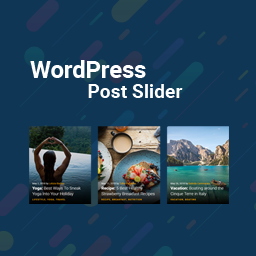
Elevate your WordPress website with the Post Slider – a cross-browser and responsive plugin designed to showcase posts in a captivating slideshow, fea …
100+ active installations
- Version
- 2.0.9
- WordPress
- 4.0+
- Updated
- 19 Jul 2026
WORDPRESS RESOURCES
Explore public plugin information from the official WordPress.org directory. Compare what a plugin does, its requirements and update history before adding it to your website.
Explore WordPress hosting →1,810 matching plugins reported by WordPress.org · Page 25 of 50
Source: WordPress.org
Data refreshed 29 Nov 2026 20:29 UTC
Elevate your WordPress website with the Post Slider – a cross-browser and responsive plugin designed to showcase posts in a captivating slideshow, fea …

Collect, manage, and display customer reviews with testimonial sliders, carousels, grids, lists, and review forms. Build with AI or ready patterns.

By bPlugins
Surveys, feedback and event RSVPs in the block editor. NPS, CSAT, head counts and CSV export. Responses stay in your WordPress database.

Group core blocks into containers or repeaters to create layouts like grid, carousel, popup, accordion all in the Block Editor. Fast. Easy.
Embed your TikTok feed in WordPress with grid, profile, and popup layouts – turn website visitors into TikTok followers.

By Ultimate Blocks
Create Better Content With The Block Editor. Custom Blocks for Bloggers and Content Marketers.

By Nasir Uddin
Generic Elements is the most complete elementor design toolkit which enhanced the power of elementor plugin.

By Livid
Embed Livid videos and migrate from Vimeo to Livid seamlessly.

By Damian
WP Popups is the best popup maker for WordPress. Easy but powerful plugin with display filters, scroll-triggered popups, and Gutenberg block editor.

By Sayful Islam
Create SEO friendly Image, Logo, Video, Post, WooCommerce Product Carousel, and Slider.
Create responsive portfolios in Gutenberg with grid, masonry, filters, lightbox, slider, and customizable project layouts.

By Rajan Vijayan
Fast, accessible sliders and carousels: hero banners, post and product carousels, galleries, testimonials and logo tickers.
CHOOSE WHAT YOUR WEBSITE NEEDS
Start with the task you need to solve. Compare features, WordPress and PHP requirements, update history and the author’s documentation. Test changes on a private copy and avoid adding several plugins for the same job.
This independent directory displays plugin information on WebFulHost and links to the official source. Packages are not mirrored or installed here. A plugin can include paid extensions or services with separate terms from its author.

