

Customize WooCommerce My Account with a live customizer, spending chart, shipment tracking, Google login, custom endpoints and user avatar.
★ 4.2/5 (33)7,000+ active installations
- Version
- 4.5.0
- WordPress
- 3.3+
- PHP
- 7.2+
- Updated
- 14 Jul 2026
WORDPRESS RESOURCES
Explore public plugin information from the official WordPress.org directory. Compare what a plugin does, its requirements and update history before adding it to your website.
Explore WordPress hosting →10,000 matching plugins reported by WordPress.org · Page 25 of 50
Source: WordPress.org
Data refreshed 24 Nov 2026 14:58 UTC
Customize WooCommerce My Account with a live customizer, spending chart, shipment tracking, Google login, custom endpoints and user avatar.

By wpbranddigital
Gutenberg logo carousel block. Show client & partner logos with slider, grid, masonry, multi-row layouts, tooltips, and full style controls.
Replace 50+ WordPress Plugins: Free SEO, Theme Builder, Code Snippets, Image Optimizer (WebP/AVIF), SMTP Email, Security, Performance & More
Speed up your site with 10Web Booster. Pass Core Web Vitals by optimizing HTML / CSS / JavaScript, Image Optimization, Lazy Loading, Cache, Google Fon …

By Barn2 Plugins
Create a WordPress document library to manage, search and download files.

By maennchen1.de
This plugin easily displays the folders and files from a selected directory. It can be placed by block or shortcode in any post.

By Huzoor Bux
Export images from your WordPress media library as a ZIP file — filter by year and image size before downloading.

By mra13 / Team Tips and Tricks HQ
Easily manage downloadable files and monitor downloads of your digital files from your WordPress site.

By VillaTheme
Automatically clear Autoptimize cache by cache size or after a set interval

By WP Folio Team
A simple way to prevent search engines and the public from indexing and accessing your files without complex user authentication.
Build an image slider with easy drag-and-drop. A simple responsive photo slider for your WordPress website posts and pages.
By bruandet
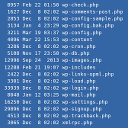
An xterm-like plugin to run non-interactive shell commands.
CHOOSE WHAT YOUR WEBSITE NEEDS
Start with the task you need to solve. Compare features, WordPress and PHP requirements, update history and the author’s documentation. Test changes on a private copy and avoid adding several plugins for the same job.
This independent directory displays plugin information on WebFulHost and links to the official source. Packages are not mirrored or installed here. A plugin can include paid extensions or services with separate terms from its author.


