

MameTech Chat Button
By Mario Merola
Add a professional floating chat button to your website for WhatsApp and other messaging services with advanced features.
0+ active installations
- Version
- 2.1.3
- WordPress
- 5.0+
- PHP
- 7.0+
- Updated
- 22 Jan 2026
WORDPRESS RESOURCES
Explore public plugin information from the official WordPress.org directory. Compare what a plugin does, its requirements and update history before adding it to your website.
Explore WordPress hosting →589 matching plugins reported by WordPress.org · Page 25 of 50
Source: WordPress.org
Data refreshed 23 Nov 2026 01:41 UTC
By Mario Merola
Add a professional floating chat button to your website for WhatsApp and other messaging services with advanced features.

By techxabyte
Route visitors to the best WhatsApp, call, SMS, email, Telegram, Messenger, or custom contact option for each page context.

By kubiq
Easily use [better_share_buttons] shortcode anywhere you want.
Lightweight floating chat bubble button. Visitors reach you on WhatsApp, Telegram, Messenger, Instagram and 12 more channels. Zero external requests.

By Sakibul Hasan Rohan
Your AI sales assistant for WooCommerce - greets shoppers, answers questions, finds the right products, and guides them to checkout, day and night.
Send WooCommerce order notifications, COD verification and abandoned cart reminders on WhatsApp, plus a chat button and an Order on WhatsApp button.
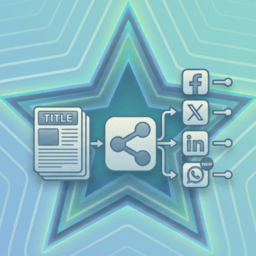
Add beautiful social sharing buttons to your WordPress site. Supports Facebook, X (Twitter), LinkedIn, WhatsApp, and more.

By fxgadgets
Add customizable floating buttons for WhatsApp, Telegram, Phone Call, and custom links. Lightweight, responsive, and easy to configure, with support f …

By frenchysystems
The smart contact button that knows when your clinic is open — and when it's not.

By BeautifulPlugins
Advanced Gutenberg blocks for creating beautiful, modern and eye-catching WordPress pages in the block editor.

By obriiflow
Floating social messenger widget with icon carousel, greeting bubble, click stats, and full admin panel.
Wishlist and Quick View for WooCommerce in one lightweight plugin. Shareable wishlists for guests and users, plus an AJAX quick view modal.
CHOOSE WHAT YOUR WEBSITE NEEDS
Start with the task you need to solve. Compare features, WordPress and PHP requirements, update history and the author’s documentation. Test changes on a private copy and avoid adding several plugins for the same job.
This independent directory displays plugin information on WebFulHost and links to the official source. Packages are not mirrored or installed here. A plugin can include paid extensions or services with separate terms from its author.


