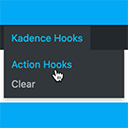
Find Kadence action hooks quickly and easily by seeing their actual locations inside your Kadence theme.
★ 5.0/5 (5)400+ active installations
- Version
- 1.0.1
- WordPress
- 6.2.2+
- PHP
- 7.4+
- Updated
- 24 Jul 2023
View plugin details ↗Lumen patterns, Site Kits, reading tools, Lumen Posts, Color Mode, Search Modal, sharing, messaging, menus, and footer tools for Lumen Theme.
0+ active installations
- Version
- 1.1.0
- WordPress
- 6.7+
- PHP
- 8.1+
- Updated
- 5 Oct 2026
View plugin details ↗Connect WooCommerce with WhatsApp, AI agents, CRMs, and advanced webhook automations using BotBee.
0+ active installations
- Version
- 1.3.1
- WordPress
- 6.0+
- PHP
- 8.1+
- Updated
- 24 Oct 2026
View plugin details ↗Formulas, long-hand arithmetic, graphs and chemistry in the block editor, processed by the Formulix API.
0+ active installations
- Version
- 0.1.8
- WordPress
- 6.6+
- PHP
- 8.1+
- Updated
- 22 Nov 2026
View plugin details ↗Accept Bitcoin and Ethereum donations with QR Code and automatic blockchain confirmation — no third-party checkout.
0+ active installations
- Version
- 4.0.4
- WordPress
- 5.7+
- PHP
- 8.1+
- Updated
- 18 Nov 2026
View plugin details ↗404 log with one-click fixes, same-site redirects, 410 rules and redirects on address changes. No IP addresses stored.
0+ active installations
- Version
- 2.2.0
- WordPress
- 6.2+
- PHP
- 8.0+
- Updated
- 19 Oct 2026
View plugin details ↗Add a modern, responsive mobile bottom navigation to your WordPress website.
0+ active installations
- Version
- 2.5.3
- WordPress
- 5.6+
- PHP
- 7.4+
- Updated
- 4 Oct 2026
View plugin details ↗CookieGo is a cookie consent tool specifically designed for adherence to privacy compliance.
★ 5.0/5 (1)0+ active installations
- Version
- 1.1.0
- WordPress
- 6.5.2+
- PHP
- 7.2+
- Updated
- 8 Apr 2025
View plugin details ↗Lightweight SEO metadata, schema, sitemap controls, AI discovery files and accessibility diagnostics.
0+ active installations
- Version
- 2.2.0
- WordPress
- 7.0+
- PHP
- 8.0+
- Updated
- 19 Oct 2026
View plugin details ↗Display comprehensive server, database, and WordPress information in a clean, modern interface.
10+ active installations
- Version
- 1.0.0
- WordPress
- 5.0+
- PHP
- 7.2+
- Updated
- 8 Jan 2025
View plugin details ↗Citable Answer Blocks for Generative Engine Optimization (GEO). Optimize your content for AI-powered search engines.
0+ active installations
- Version
- 1.0.0
- WordPress
- 6.0+
- PHP
- 7.4+
- Updated
- 9 Feb 2026
View plugin details ↗Display user information and date/time with easy-to-use shortcodes. Free version includes 8 essential shortcodes.
10+ active installations
- Version
- 1.1
- WordPress
- 4.9+
- PHP
- 7.4+
- Updated
- 11 Jun 2025
View plugin details ↗