

My Tickets – Accessible Event Ticketing
By Joe Dolson
My Tickets is a simple, flexible platform for selling event tickets with WordPress.
★ 4.9/5 (27)600+ active installations
- Version
- 2.3.2
- WordPress
- 6.4+
- PHP
- 7.4+
- Updated
- 14 Oct 2026
WORDPRESS RESOURCES
Explore public plugin information from the official WordPress.org directory. Compare what a plugin does, its requirements and update history before adding it to your website.
Explore WordPress hosting →4,272 matching plugins reported by WordPress.org · Page 26 of 50
Source: WordPress.org
Data refreshed 20 Nov 2026 15:00 UTC
By Joe Dolson
My Tickets is a simple, flexible platform for selling event tickets with WordPress.

By Silver222
Multiply every WooCommerce price by an exchange rate you set by hand, so a shop priced in one currency displays in another.
Checkout Field Editor for WooCommerce – The best WooCommerce checkout manager plugin to manage checkout fields in both Classic & Block Checkout.

By podpirate
Paste files and image data from clipboard and instantly upload them to the WordPress media library.

By Junák - český skaut
A WordPress gallery using Google Drive as file storage

By Jackson Jonah
Boost your site speed automatically. Resizes huge uploads, converts images to next-gen WebP & AVIF formats, and safely backs up originals.

By fatcatapps
Pricing Table Plugin - Easy Pricing Tables Lets You Create A Beautiful, Responsive Pricing Table In 2 Minutes. No Coding Required.

By Kadim Gültekin
Create beautiful, responsive sliders from core WordPress blocks using Slick Slider, no coding required, fully customizable in the block editor.
Sumo is trusted by over 600,000 businesses — small and large — in growing their email lists, customer base, and revenue online.

By uPress
Page caching, Redis, WebP conversion and optional WordPress performance tools. All features are free; no license key or trial is required.
By scribu
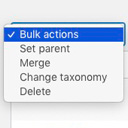
Allows you to merge terms, move terms between taxonomies, and set term parents, individually or in bulk.

By himalayasaxena
A.I. powered image compression that reduces file sizes without losing quality, speeds up your website, boosts SEO, and saves server space.
CHOOSE WHAT YOUR WEBSITE NEEDS
Start with the task you need to solve. Compare features, WordPress and PHP requirements, update history and the author’s documentation. Test changes on a private copy and avoid adding several plugins for the same job.
This independent directory displays plugin information on WebFulHost and links to the official source. Packages are not mirrored or installed here. A plugin can include paid extensions or services with separate terms from its author.

