Transfer data from AliExpress products to WooCommerce effortlessly and fulfill WooCommerce orders to AliExpress automatically.
★ 3.7/5 (138)8,000+ active installations
- Version
- 2.2.8
- WordPress
- 6.2+
- PHP
- 7.4+
- Updated
- 20 Nov 2026
WORDPRESS RESOURCES
Explore public plugin information from the official WordPress.org directory. Compare what a plugin does, its requirements and update history before adding it to your website.
Explore WordPress hosting →2,189 matching plugins reported by WordPress.org · Page 26 of 50
Source: WordPress.org
Data refreshed 29 Nov 2026 13:09 UTC
Transfer data from AliExpress products to WooCommerce effortlessly and fulfill WooCommerce orders to AliExpress automatically.
Start accepting payments on your WooCommerce store using SeerBit for WooCommerce plugin
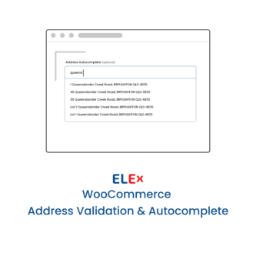
Simple and easy to use address validation & google address autocomplete plugin. Uses EasyPost, UPS, USPS, AddressFinder & Google APIs.

By dibspayment
Accept payments via Nexi Checkout (formerly Nets Easy) in WooCommerce with cards, Vipps, MobilePay, Klarna and more.

By revolutbusiness
Save on accepting payments with the Revolut Gateway for WooCommerce plugin for your store. You can accept card payments in up to 22 currencies.

By AsanaPlugins
WooCommerce discount plugin & dynamic pricing: bulk discount, BOGO, quantity discount, category discount & auto-apply coupons — no coding needed.

By Md Abul Bashar
Accept manual QR wallet payments in WooCommerce: bKash, Nagad, Paytm, PhonePe, eSewa, Khalti, GCash, M-Pesa and 20+ more. No API needed.

By Ivan Paulin
Choose which payment gateway will be available in country/countries.

By Klarna
Grow your business for increased sales and enhanced shopping experiences at no extra costs.

By PI Web Solution
Advanced coupon for WooCommerce Offer lowest item in cart for free | Advanced condition logic to make coupon apply conditionally | Make coupon auto ap …

By Opus Techologies
Charge a fee for Cash on Delivery, decide exactly who can use it, and collect part of the payment online before the courier leaves.
A flexible discount system for WooCommerce. Create tiered coupons, conditional promotions, and user-specific discounts with ease.
CHOOSE WHAT YOUR WEBSITE NEEDS
Start with the task you need to solve. Compare features, WordPress and PHP requirements, update history and the author’s documentation. Test changes on a private copy and avoid adding several plugins for the same job.
This independent directory displays plugin information on WebFulHost and links to the official source. Packages are not mirrored or installed here. A plugin can include paid extensions or services with separate terms from its author.