Simple and easy way to create and display information cards anywhere .
★ 5.0/5 (2)2,000+ active installations
- Version
- 3.0.5
- WordPress
- 6.5+
- PHP
- 7.4+
- Updated
- 16 Nov 2026
WORDPRESS RESOURCES
Explore public plugin information from the official WordPress.org directory. Compare what a plugin does, its requirements and update history before adding it to your website.
Explore WordPress hosting →5,159 matching plugins reported by WordPress.org · Page 26 of 50
Source: WordPress.org
Data refreshed 24 Nov 2026 21:28 UTC
Simple and easy way to create and display information cards anywhere .
Optimize image sizes, regenerate thumbnails, enable retina, convert to WebP/AVIF, or use cloud optimization. An essential image toolkit.

By Rico Macchi
This plugin allows you to create a dynamic link gallery with screenshots of each link.
Lightweight Elementor addon for news, blog & magazine sites with post grids, sliders, tickers, template kits & custom header footer builder.
Create and display a professional-looking product pricing table in WordPress.

Transform your WooCommerce site into a multivendor marketplace with Dokan – an AI powered & advanced WooCommerce marketplace solution

By Mike McAlister
Create custom dropdown & mobile menus using WordPress blocks. Design rich, responsive navigation with any block content in the block editor.
By Realwebcare
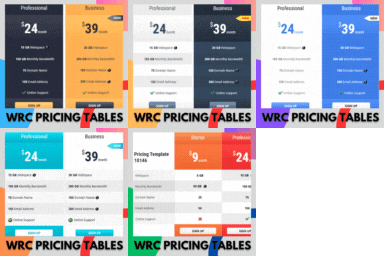
Responsive CSS3 pricing tables design to present features and prices of different products. Display pricing tables or comparison table by shortcode.

By outlawgt
Build powerful custom forms with drag and drop. Saved entries, dashboard, signatures, Mailchimp, webhooks, and modern spam protection.
Create responsive contact forms with stored query table management. Easy contact form shortcode and widget for inquiries and lead generation.
Easily change WooCommerce product author ownership. Bulk transfer product authors, manage permissions, and display frontend author cards.

By HT Plugins
This plugin allows you to insert Google analytic code, Facebook pixel code, custom javascript, custom style in your website's header and footer.
CHOOSE WHAT YOUR WEBSITE NEEDS
Start with the task you need to solve. Compare features, WordPress and PHP requirements, update history and the author’s documentation. Test changes on a private copy and avoid adding several plugins for the same job.
This independent directory displays plugin information on WebFulHost and links to the official source. Packages are not mirrored or installed here. A plugin can include paid extensions or services with separate terms from its author.