

Build professional knowledge bases with unlimited docs, drag-and-drop editor, live search, and SEO optimization.
★ 4.7/5 (100)2,000+ active installations
- Version
- 2.15.1
- WordPress
- 5.0+
- PHP
- 7.4+
- Updated
- 2 Nov 2026
WORDPRESS RESOURCES
Explore public plugin information from the official WordPress.org directory. Compare what a plugin does, its requirements and update history before adding it to your website.
Explore WordPress hosting →2,393 matching plugins reported by WordPress.org · Page 26 of 50
Source: WordPress.org
Data refreshed 26 Nov 2026 22:21 UTC
Build professional knowledge bases with unlimited docs, drag-and-drop editor, live search, and SEO optimization.

By nickboss
Front-end file upload forms for WordPress. Build them visually, add your own fields, and capture photos from a webcam.

By Shahjada
Download Manager Addons for Elementor

By thethemefoundry
The simplest drag and drop WordPress page builder. Easily design page or post layouts using any theme with Make Builder.
Elementor table plugin to build responsive tables in Elementor with drag & drop: merge cells, colspan, rowspan, striped rows and full styling.

By Rabie Eltegani
Appointment booking with staff schedules, a drag-and-drop booking calendar, six booking form designs and WooCommerce payments. Free, with no limits.

By quadlayers
WhatsApp Chat🔥 allows you to enhance customer engagement! Integrate "WhatsApp" or "WhatsApp Business" with a single click.
ShopLentor – More than a WooCommerce builder. A complete growth plugin to boost conversions, UX, and sales for your store.

By Softaculous
Build fast and powerful contact forms in WordPress with an intuitive drag-and-drop builder packed with smart features.
A fully featured, easy-to-use documentation plugin with AI chat, search, FAQs, and quizzes. Build beautiful knowledge bases, docs, and wikis.
By G Matta
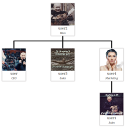
Drag-and-drop organization chart for WordPress. Display your team hierarchy with a shortcode.

By YITHEMES
YITH WooCommerce Wishlist add all Wishlist features to your website. Needs WooCommerce to work. WooCommerce 11.3.x compatible.
CHOOSE WHAT YOUR WEBSITE NEEDS
Start with the task you need to solve. Compare features, WordPress and PHP requirements, update history and the author’s documentation. Test changes on a private copy and avoid adding several plugins for the same job.
This independent directory displays plugin information on WebFulHost and links to the official source. Packages are not mirrored or installed here. A plugin can include paid extensions or services with separate terms from its author.


