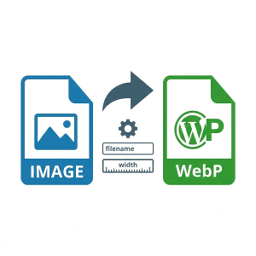
Intercepts image paste and drop in Gutenberg, converts them to WebP/PNG or keeps original formats, and inserts them into posts.
★ 5.0/5 (1)0+ active installations
- Version
- 1.0.3
- WordPress
- 6.0+
- PHP
- 7.4+
- Updated
- 23 Aug 2026
View plugin details ↗A 3D globe of your real customers. Paid orders light up their country and reviewers appear over it as first name and last initial.
★ 5.0/5 (2)0+ active installations
- Version
- 1.0.1
- WordPress
- 6.5+
- PHP
- 7.4+
- Updated
- 26 Oct 2026
View plugin details ↗Supercharge WordPress: Modular UI Elements, Image Effects, Sticky Media Player & a unified Toolkit for Classic & Gutenberg.
10+ active installations
- Version
- 1.3.0
- WordPress
- 5.8+
- PHP
- 7.4+
- Updated
- 11 Sep 2026
View plugin details ↗Privacy-first WordPress security hardening, login protection, and local audit logging.
60+ active installations
- Version
- 1.5.0
- WordPress
- 6.4+
- PHP
- 7.4+
- Updated
- 19 Oct 2026
View plugin details ↗AI Enhanced Live chat for your website that will help you to convert more visitors to customers.
★ 5.0/5 (4)30+ active installations
- Version
- 1.1.1
- WordPress
- 3.0.1+
- Updated
- 24 Feb 2025
View plugin details ↗A glassmorphism admin theme for WordPress: a frosted glass effect dashboard with light and dark mode, custom accent colours and background images.
0+ active installations
- Version
- 1.1.0
- WordPress
- 6.0+
- PHP
- 8.0+
- Updated
- 4 Nov 2026
View plugin details ↗Add customizable "Add to Calendar" buttons to your WordPress site with support for Google Calendar, Outlook, Apple Calendar, and more.
50+ active installations
- Version
- 1.0.0
- WordPress
- 5.0+
- PHP
- 7.4+
- Updated
- 18 Jan 2026
View plugin details ↗Instantly produce a legally binding PDF WordPress contract from a Forminator Forms contact form submission. Digital Signature Pad. Proposal.
70+ active installations
- Version
- 2.0.3
- WordPress
- 6.0+
- Updated
- 20 Oct 2026
View plugin details ↗This is a WordPress plugin that allows you to use Smart App Banners, introduced in iOS 6, with your WordPress blog.
★ 4.7/5 (3)500+ active installations
- Version
- 1.1.6
- WordPress
- 4.6+
- Updated
- 23 Mar 2024
View plugin details ↗Add an animated floating WhatsApp chat button and scroll-to-top button. Ideal for WooCommerce stores, local businesses, and service websites.
20+ active installations
- Version
- 1.3.1
- PHP
- 7.2+
- Updated
- 3 Feb 2026
View plugin details ↗Free live chat, WhatsApp chat, AI chatbot and chatbot flows for WordPress. Track visitors, capture leads and reply from one shared inbox.
0+ active installations
- Version
- 1.0.1
- WordPress
- 5.8+
- PHP
- 7.4+
- Updated
- 21 Nov 2026
View plugin details ↗Connect your WordPress site with Pingu to add a live chat widget — optimized for caching plugins and zero-code setup.
0+ active installations
- Version
- 1.0.1
- WordPress
- 5.8+
- PHP
- 7.4+
- Updated
- 31 Aug 2026
View plugin details ↗