

Ultimate Multisite turns your WordPress network into a WaaS platform with subscriptions, site provisioning, and domain mapping.
★ 5.0/5 (12)90+ active installations
- Version
- 2.20.0
- WordPress
- 5.3+
- PHP
- 8.2+
- Updated
- 21 Nov 2026
WORDPRESS RESOURCES
Explore public plugin information from the official WordPress.org directory. Compare what a plugin does, its requirements and update history before adding it to your website.
Explore WordPress hosting →2,237 matching plugins reported by WordPress.org · Page 26 of 50
Source: WordPress.org
Data refreshed 23 Nov 2026 00:43 UTC
Ultimate Multisite turns your WordPress network into a WaaS platform with subscriptions, site provisioning, and domain mapping.

By Bayarcash
Accept online payment & QR from Malaysia. Currently, Bayarcash support FPX, Direct Debit, DuitNow, Credit Card, Boost, GrabPay, ShopeePay, Touch & …
A complete appointment scheduling and booking calendar for WordPress — integrates with WooCommerce, Google Calendar, Zoom, and more.
Accept Bitcoin, Ethereum, and USDT in WooCommerce with Paymento – a secure, non-custodial crypto payment gateway.

Get a fast & all-in-one community plugin. Create unlimited communities, and courses with robust social networking and LMS features.

Free WP, PHP, MySQL, memory & server IP display with a PHP EOL countdown. PRO adds CPU/RAM sparklines, server location, SSL alerts & AI Advisor.

By otto.radics
Connect your WooCommerce site to our SaaS available at https://utanvet-ellenor.hu Register to obtain API keys.

By Ryan T.
Accept Bitcoin, Ethereum, Solana and XRP payments in WooCommerce with manual transaction verification and live exchange rates.

By Raisul Islam Shagor
WooCommerce gateway for Bangladeshi businesses allowing customers to upload bank payment receipts at checkout.

By Noor Alam
Accept Stripe payments in WordPress without creating any product. Perfect for donations, services, or selling anything. No coding required.
By codepeople
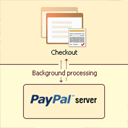
Payment Form for PayPal Pro for accepting credit cards directly into your website without navigating to a PayPal page.
Free WordPress firewall, bot blocking, login protection, and malware scanning. See suspicious traffic and investigate threats from your dashboard.
CHOOSE WHAT YOUR WEBSITE NEEDS
Start with the task you need to solve. Compare features, WordPress and PHP requirements, update history and the author’s documentation. Test changes on a private copy and avoid adding several plugins for the same job.
This independent directory displays plugin information on WebFulHost and links to the official source. Packages are not mirrored or installed here. A plugin can include paid extensions or services with separate terms from its author.


