
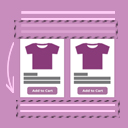
Move Category description under products for WooCommerce
By Marco Barbadoro
Move-Category-description-under-products-for-WooCommerce
★ 5.0/5 (3)300+ active installations
- Version
- 1.0.2
- WordPress
- 6.0+
- Updated
- 13 Nov 2026
WORDPRESS RESOURCES
Explore public plugin information from the official WordPress.org directory. Compare what a plugin does, its requirements and update history before adding it to your website.
Explore WordPress hosting →1,111 matching plugins reported by WordPress.org · Page 26 of 50
Source: WordPress.org
Data refreshed 24 Nov 2026 17:10 UTC
By Marco Barbadoro
Move-Category-description-under-products-for-WooCommerce

By Niloy - Codeixer
Deposits for WooCommerce is allowing customers to pay for WooCommerce products using a partial payment.💰
Show brand logos on WooCommerce product and shop pages, and build brand sliders and grids. Works with WooCommerce's built-in Brands.

By Dragwyb
Flip Boxes for Elementor – animated, 3D, responsive flip box widgets for posts, custom post types, portfolios, and product showcases.
The best way to display TikTok videos on your WordPress website. Display clean, customizable, and responsive TikTok feeds from your TikTok account.

By Themepul
100+ Elementor widgets & extensions for WordPress. Build stunning websites with WooCommerce tools, advanced UI elements, and regular updates.

By Cool Plugins
Contact form addon for Elementor. Create forms in Elementor Free or extend Elementor Pro forms with conditional logic, country code and extra fields.
WP Film Studio is a WordPress Movie Maker/Production Plugin.

By creativewebui
AJAX-powered Post Grid widget for Elementor with preset layouts, filters, pagination types, and slider support.

By Sharabindu Bakshi
Add a stylish notification bar, announcement bar, or sticky promo bar to your WordPress site — top or bottom, fully customizable, no coding needed.
Embed Instagram, TikTok, Pinterest, and Twitter feeds easily using Gutenberg blocks.

By Mahmudul Hasan Arif
Add Facebook feeds, Instagram feeds, TikTok feeds, Facebook reviews, WhatsApp Chat, Messenger chat, Testimonial, and others using a single dashboard.
CHOOSE WHAT YOUR WEBSITE NEEDS
Start with the task you need to solve. Compare features, WordPress and PHP requirements, update history and the author’s documentation. Test changes on a private copy and avoid adding several plugins for the same job.
This independent directory displays plugin information on WebFulHost and links to the official source. Packages are not mirrored or installed here. A plugin can include paid extensions or services with separate terms from its author.



