

Show Post Shortcode
By Niraj Shah
Shortcode to display posts as a bulleted list. You can also use parameters order and orderby to sort the list.
100+ active installations
- Version
- 0.1
- WordPress
- 2.7+
- Updated
- 13 Mar 2026
WORDPRESS RESOURCES
Explore public plugin information from the official WordPress.org directory. Compare what a plugin does, its requirements and update history before adding it to your website.
Explore WordPress hosting →10,000 matching plugins reported by WordPress.org · Page 26 of 50
Source: WordPress.org
Data refreshed 22 Nov 2026 07:38 UTC
By Niraj Shah
Shortcode to display posts as a bulleted list. You can also use parameters order and orderby to sort the list.

By Md Yakub Mizan
WP Show Category ID is simple plugin to show post category and WooCommerce product category IDs on category list page

By StudioPress
A WordPress plugin to create custom post types, custom fields, and custom taxonomies for headless WordPress sites.

By OpenSource Technologies Inc.
List an author's latest posts with a short preview of each post, using a shortcode.

By Tijmen Smit
Free store locator with OpenStreetMap maps and no API key. Or use Google Maps, Mapbox or Stadia Maps. Unlimited locations, custom fields and markers.
Create interactive images with clickable hotspots, using modern image maps for WordPress. Perfect for floor plans, infographics, maps, and more.

Display posts in Grid, Carousel, Slider, Timeline, List & Live Filter layouts with Gutenberg Blocks & Ready Patterns - Elementor, Divi, & Shortcodes.

By Maarten B
Display opening hours and if you're currently open/closed, with countdown to next opening. Show or hide content only when open/closed & more!

By Ajay
Keep visitors on your site longer with intelligent, fast-loading, contextually related posts. Block, shortcode, custom post type and widget ready.
By WP Darko
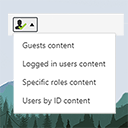
The simplest way of controlling who sees what in your posts/pages. Restrict content to logged in users only (or guests, or by roles) with simple short …

By Happy Prime
Display an accessible show/hide interface with details and summary elements.

By Stefano Lissa
An email marketing tool for your blog: subscription forms to create your lists with unlimited subscribers and newsletters.
CHOOSE WHAT YOUR WEBSITE NEEDS
Start with the task you need to solve. Compare features, WordPress and PHP requirements, update history and the author’s documentation. Test changes on a private copy and avoid adding several plugins for the same job.
This independent directory displays plugin information on WebFulHost and links to the official source. Packages are not mirrored or installed here. A plugin can include paid extensions or services with separate terms from its author.
