

SCSS WP Editor
By IT Path Solutions
Easily Add, Compile and Optimize your SCSS to CSS within WordPress Admin.
★ 5.0/5 (4)800+ active installations
- Version
- 1.2.3
- WordPress
- 6.0+
- PHP
- 8.2+
- Updated
- 20 May 2026
WORDPRESS RESOURCES
Explore public plugin information from the official WordPress.org directory. Compare what a plugin does, its requirements and update history before adding it to your website.
Explore WordPress hosting →10,000 matching plugins reported by WordPress.org · Page 26 of 50
Source: WordPress.org
Data refreshed 22 Nov 2026 17:14 UTC
By IT Path Solutions
Easily Add, Compile and Optimize your SCSS to CSS within WordPress Admin.
Boost your WordPress site speed by removing query strings from CSS and JS files — improve your GTmetrix, PageSpeed, and Pingdom scores instantly.
Best live chat and help desk plugin for WordPress websites. Add the LiveChat widget to engage visitors and provide real‑time customer support! 🚀

By Rui Guerreiro
Need some help with the mobile website experience? Need an Mobile Menu plugin that keep your mobile visitors engaged?

By AboveWP
Toggle between light and dark modes in your WordPress admin area with multiple themes, scheduling, and advanced customization options.
Powerful and comprehensive plugin that extends the functionality of Phlox Elementor theme.

By Rock Solid Plugins
Speed up WooCommerce and WordPress. Disable WooCommerce Admin, Analytics, Marketing Hub, cart fragments, Gutenberg and other bloat you don't use.
20+ Gutenberg Blocks with endless options, enabling top-notch efficiency for high-performance dynamic website creation.
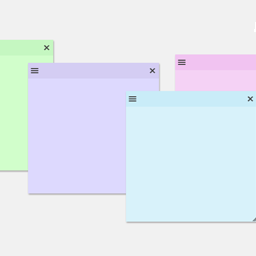
By Web Builder 143
Create sticky notes in your WP admin for reminders and to-dos. Restrict notes by user roles and disable them on specific pages.

By WP Zone
Easily add custom CSS and JavaScript code to your WordPress site, with draft previewing, revisions, and minification!
By TheInnovs
Restrict user profile editing with granular role-based controls, additional wp-admin page restrictions, REST API protection, and custom redirects.

By John James Jacoby
Organize Media Library attachments with categories and filter them in list and grid views.
CHOOSE WHAT YOUR WEBSITE NEEDS
Start with the task you need to solve. Compare features, WordPress and PHP requirements, update history and the author’s documentation. Test changes on a private copy and avoid adding several plugins for the same job.
This independent directory displays plugin information on WebFulHost and links to the official source. Packages are not mirrored or installed here. A plugin can include paid extensions or services with separate terms from its author.



