HTTP 410 (Gone) responses
By Matt Calvert
Sends HTTP 410 (Gone) responses for deleted content, telling search engines the page is permanently removed.
★ 4.6/5 (21)4,000+ active installations
- Version
- 1.2.1
- WordPress
- 5.0+
- PHP
- 7.4+
- Updated
- 5 Aug 2026
WORDPRESS RESOURCES
Explore public plugin information from the official WordPress.org directory. Compare what a plugin does, its requirements and update history before adding it to your website.
Explore WordPress hosting →4,764 matching plugins reported by WordPress.org · Page 27 of 50
Source: WordPress.org
Data refreshed 28 Nov 2026 02:23 UTC
By Matt Calvert
Sends HTTP 410 (Gone) responses for deleted content, telling search engines the page is permanently removed.

By SandyRig
Display unique visitor or page-view counts anywhere on your site using widgets or shortcodes — Simple, very lightweight and no third-party code.
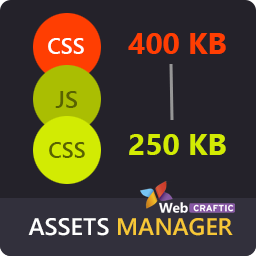
Increase the speed of the pages by disabling unused scripts (.JS) and styles (.CSS). Make your website REACTIVE!

❤️ Excellent membership plugin! Easy, quick, flexible. Monetize your site with memberships and subscriptions. Protect content instantly and securely.
Connect contact forms and WooCommerce to WhatsApp & Telegram by live click to chat. Send form data to WhatsApp Business for customer engagement
Search millions of stock photos, generate AI images with OpenAI & Gemini, browse GIFs, and import directly to your Media Library.

By WPMU DEV - Your All-in-One WordPress Platform
View visitor stats and track user behavior from within WordPress. A Google Analytics plugin with dashboard reports and Google Tag Manager support.
A productivity desktop and custom dashboard for wp-admin: windows, dark mode, dashboard notes, an AI assistant, and a progressive web app (PWA).

By Matt Keys
Use Insights from Google PageSpeed to improve your site's performance, Core Web Vitals, search engine ranking and your visitors' browsing experience.

By impleCode
eCommerce Product Catalog is a powerful and free plugin to sell with a beautiful eCommerce or request for a quote WordPress website.

By WordPress Performance Team
Adds smooth transitions between navigations to your WordPress site.

By Restaumatic
Add Restaumatic Active Menu to your website and start selling online using fully featured food ordering system.
CHOOSE WHAT YOUR WEBSITE NEEDS
Start with the task you need to solve. Compare features, WordPress and PHP requirements, update history and the author’s documentation. Test changes on a private copy and avoid adding several plugins for the same job.
This independent directory displays plugin information on WebFulHost and links to the official source. Packages are not mirrored or installed here. A plugin can include paid extensions or services with separate terms from its author.