Create powerful frontend submission forms for ACF and SCF with complete control over fields, taxonomies, and user submissions.
★ 5.0/5 (1)60+ active installations
- Version
- 1.0.0
- WordPress
- 6.8+
- PHP
- 8.0+
- Updated
- 25 Feb 2026
View plugin details ↗Automatically purge every server-side cache on your WordPress site — plugins, hosting environments, PHP, memory stores, and CDNs — all from one place.
★ 4.5/5 (6)1,000+ active installations
- Version
- 2.3.59
- WordPress
- 6.2+
- PHP
- 8.2+
- Updated
- 2 Sep 2026
View plugin details ↗Appointment booking and event calendar for WordPress. Services, staff, availability, shortcodes, and email notifications. Prevents double-booking.
★ 3.8/5 (24)4,000+ active installations
- Version
- 2.6.0.9
- WordPress
- 6.3+
- PHP
- 7.4+
- Updated
- 17 Nov 2026
View plugin details ↗Build a job board in WordPress with Google Jobs support, built-in application management, and reCAPTCHA — free. No coding needed.
★ 5.0/5 (21)1,000+ active installations
- Version
- 2.5.1
- WordPress
- 5.8+
- PHP
- 7.4+
- Updated
- 20 Oct 2026
View plugin details ↗CubeWP is an end-to-end dynamic content framework for WordPress to help you shrink time and cut cost of development up to 90%.
★ 4.8/5 (12)3,000+ active installations
- Version
- 1.1.32
- WordPress
- 6.5+
- PHP
- 7.4+
- Updated
- 13 Nov 2026
View plugin details ↗Fast. Flexible. Forward-thinking solution for real estate agents using WordPress. Built for scale, listing management and works with any theme.
★ 4.7/5 (112)5,000+ active installations
- Version
- 3.6.1
- WordPress
- 6.0+
- PHP
- 7.4+
- Updated
- 17 Nov 2026
View plugin details ↗Book appointments, create booking with TrueBooker. Easily create appointments, manage time and dates and send out emails.
★ 5.0/5 (15)600+ active installations
- Version
- 1.3.1
- WordPress
- 6.5+
- PHP
- 7.4+
- Updated
- 29 Oct 2026
View plugin details ↗WooCommerce Google Sheet Connector automatically syncs orders, products, customers, coupons, and variations to Google Sheets.
★ 5.0/5 (17)3,000+ active installations
- Version
- 1.5.1
- WordPress
- 5.3+
- PHP
- 7.4+
- Updated
- 16 Nov 2026
View plugin details ↗All-in-one automation plugin: Automate everything & connect your website, plugins and services together with no-code automations. 100+ integrations…
★ 4.7/5 (55)20,000+ active installations
- Version
- 3.5.1
- WordPress
- 4.7+
- Updated
- 19 Nov 2026
View plugin details ↗Free WooCommerce Point of Sale plugin. Build a POS system to sell in store and online, then manage every order from one dashboard.
★ 3.5/5 (22)2,000+ active installations
- Version
- 2.0.3
- WordPress
- 6.8+
- PHP
- 7.4+
- Updated
- 4 Nov 2026
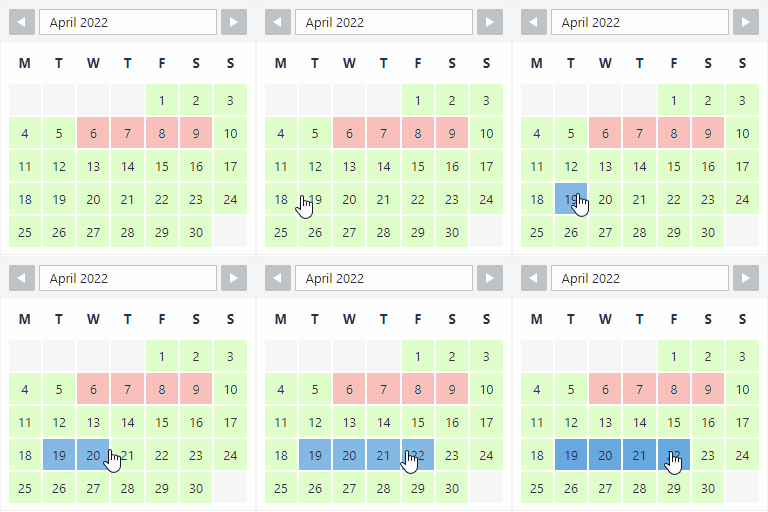
View plugin details ↗The booking calendar plugin for WordPress. Get easy online booking with this lightweight and powerful booking calendar.
★ 4.9/5 (344)10,000+ active installations
- Version
- 2.1.0.8
- WordPress
- 4.7+
- PHP
- 5.6+
- Updated
- 10 Nov 2026
View plugin details ↗Fix WordPress & WooCommerce email delivery without complex SMTP setup. Built-in sending service, 200 free emails/month, email logs & 1-click resend.
★ 4.9/5 (17)2,000+ active installations
- Version
- 1.0.15
- WordPress
- 4.7+
- PHP
- 7.0+
- Updated
- 26 Oct 2026
View plugin details ↗