

ManscaleAI Integration
By Manscale GmbH
Connect your WordPress site to ManscaleAI for seamless AI-powered article publishing.
10+ active installations
- Version
- 1.1.1
- WordPress
- 5.0+
- PHP
- 7.4+
- Updated
- 19 Jun 2026
WORDPRESS RESOURCES
Explore public plugin information from the official WordPress.org directory. Compare what a plugin does, its requirements and update history before adding it to your website.
Explore WordPress hosting →620 matching plugins reported by WordPress.org · Page 27 of 50
Source: WordPress.org
Data refreshed 22 Nov 2026 13:13 UTC
By Manscale GmbH
Connect your WordPress site to ManscaleAI for seamless AI-powered article publishing.

By domclic
The most beautiful, fast and modular role manager for WordPress. Control roles, capabilities, menus, widgets, and more.
Social media scheduler & auto post for WordPress. Schedule posts on a visual calendar, auto share to Facebook, X, LinkedIn, Bluesky, Threads & more.

By alestaplugin
SEO + technical toolkit: AI title & meta with your own Anthropic or OpenAI key, FAQ schema, XML sitemap, .htaccess, brute-force protection and more.

By Coders Time Team
Gutenberg blocks to create sites in the Gutenberg Blocks Editor with 50+ necessary blocks, patterns, templates with lots of customizing features.

By shashank23jan
Complete SEO suite for agencies. On-page SEO meta box, XML sitemap, robots.txt manager, lead capture and analytics.

By Softnika
A lean, fast SEO and local/geo toolkit: meta tags, schema, sitemaps, redirects, Search Console integration, and a transparent on-page analyzer.

By Sourabh Nagori
A powerful yet simple solution to redirect 404 errors and manage custom redirects in WordPress.

By minhaz52
A safe "Admin Panel Manager" role for staff, clients and freelancers: one-click presets, per-plugin access, WooCommerce limits and session timeout.

By alex2703
Securely publish or schedule Aomark-generated content on your WordPress site.

By FolioVision
WordPress's most reliable, easy to use and feature-rich video player. Supports responsive design, HTML5, playlists, ads, stats, Vimeo and YouTube.
By prismtechstudios
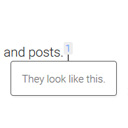
Add inline footnotes to your posts. On desktop, the footnotes will appear as tooltips. On mobile, the footnote will expand beneath the text.
CHOOSE WHAT YOUR WEBSITE NEEDS
Start with the task you need to solve. Compare features, WordPress and PHP requirements, update history and the author’s documentation. Test changes on a private copy and avoid adding several plugins for the same job.
This independent directory displays plugin information on WebFulHost and links to the official source. Packages are not mirrored or installed here. A plugin can include paid extensions or services with separate terms from its author.
