Free MCP plugin for WordPress. Connect Claude, ChatGPT, Cursor or any AI agent and manage your site by chat. 200+ tools, no coding needed.
★ 5.0/5 (11)4,000+ active installations
- Version
- 3.0.2
- WordPress
- 6.9+
- PHP
- 7.4+
- Updated
- 26 Nov 2026
WORDPRESS RESOURCES
Explore public plugin information from the official WordPress.org directory. Compare what a plugin does, its requirements and update history before adding it to your website.
Explore WordPress hosting →10,000 matching plugins reported by WordPress.org · Page 27 of 50
Source: WordPress.org
Data refreshed 29 Nov 2026 02:57 UTC
Free MCP plugin for WordPress. Connect Claude, ChatGPT, Cursor or any AI agent and manage your site by chat. 200+ tools, no coding needed.

By Spencer Haws
The AI-powered internal linking plugin for WordPress. Build internal links faster, find linking opportunities, and improve SEO automatically.
By Pektsekye
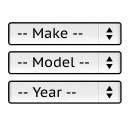
It will find products for selected make and model.

By YITHEMES
YITH WooCommerce Ajax Product Filter offers you the perfect way to filter all products of your WooCommerce shop.

By YITHEMES
YITH WooCommerce Wishlist add all Wishlist features to your website. Needs WooCommerce to work. WooCommerce 11.3.x compatible.
The Hreflang Manager plugin provides you an easy and reliable method to implement hreflang in WordPress.

Powerful user profile plugin to create front-end user registration forms, login & user profile forms. Includes user role editor & content restriction.
Get Bulletproof Security for your WordPress site. WordPress security plugin packed with comprehensive Firewall, malware scanner, cleaner & more.

By Extend Themes
Using the power of AI, Kubio gives you a head start by generating a first draft of your website, which you can further customize to your liking.

By Vladimir Garagulya
Find and delete unused database tables belong to deactivated or deleted plugins directly from WP dashboard.
The easiest way to connect Google Analytics 4 to WordPress. See real-time stats, eCommerce, and events tracking, right in your dashboard.
Detect and report internal or external broken images across your WordPress site.
CHOOSE WHAT YOUR WEBSITE NEEDS
Start with the task you need to solve. Compare features, WordPress and PHP requirements, update history and the author’s documentation. Test changes on a private copy and avoid adding several plugins for the same job.
This independent directory displays plugin information on WebFulHost and links to the official source. Packages are not mirrored or installed here. A plugin can include paid extensions or services with separate terms from its author.