

Koala AI
By Koala AI
Koala AI offers a platform of tools for SEOs and content creators.
★ 5.0/5 (1)1,000+ active installations
- Version
- 1.0
- Updated
- 1 Jun 2026
WORDPRESS RESOURCES
Explore public plugin information from the official WordPress.org directory. Compare what a plugin does, its requirements and update history before adding it to your website.
Explore WordPress hosting →4,381 matching plugins reported by WordPress.org · Page 27 of 50
Source: WordPress.org
Data refreshed 23 Nov 2026 06:24 UTC
By Koala AI
Koala AI offers a platform of tools for SEOs and content creators.
The most secure MCP Server for WordPress with Undo, plus AI Copilot & Chat Agent. ChatGPT, Claude, Gemini, OpenRouter & Mistral.

By Andrew Stichbury
Admin Search adds a simple, easy-to-use interface to your WordPress admin site that gives you and your admin users the ability to search across multip …

By AcyMailing Newsletter Team
Boost audience engagement & lead generation with AcyMailing, an all-in-one newsletter automation tool for your marketing success.

By Alexandre Gaboriau
Generate featured images from Bing, GPT Image, Unsplash and more. Automatic, bulk or Gutenberg — based on your post title.

By Madan G.C.
Find and safely remove unused media (images, video, audio, PDFs, and more) from your WordPress media library to reclaim storage.
DearFlip creates a PDF Flipbook, 3D Flipbook, PDF viewer, PDF embed for WordPress sites. Create impressive and realistic 3D flipbooks with PDFs.

By wecantrack
See which content earns, attribute every affiliate sale to its traffic, and sync conversions to Google Analytics, Google Ads, Meta and more.
AI-assisted wholesale plugin for WooCommerce with wholesale pricing, B2B user roles, registration forms, private store and MCP support.
Lightweight 360 degree panorama viewer block for Gutenberg – display panoramic images and videos with auto-rotation, zoom, and playback controls.
By getflowpaper
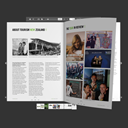
Embed your PDFs with ease. All you need : [flipbook pdf="https://flowpaper.com/example.pdf"]
See where each image is used, find unused images, organize the Media Library with tags instead of folders, and see real proportions.
CHOOSE WHAT YOUR WEBSITE NEEDS
Start with the task you need to solve. Compare features, WordPress and PHP requirements, update history and the author’s documentation. Test changes on a private copy and avoid adding several plugins for the same job.
This independent directory displays plugin information on WebFulHost and links to the official source. Packages are not mirrored or installed here. A plugin can include paid extensions or services with separate terms from its author.




