

Thikaa AI
By ThikaaBot
AI chat widget for WordPress & WooCommerce with multi-channel messaging (WhatsApp, Telegram, Facebook, Instagram) and order sync.
0+ active installations
- Version
- 1.4.2
- WordPress
- 5.8+
- PHP
- 7.4+
- Updated
- 13 Jul 2026
WORDPRESS RESOURCES
Explore public plugin information from the official WordPress.org directory. Compare what a plugin does, its requirements and update history before adding it to your website.
Explore WordPress hosting →455 matching plugins reported by WordPress.org · Page 27 of 38
Source: WordPress.org
Data refreshed 27 Nov 2026 12:17 UTC
By ThikaaBot
AI chat widget for WordPress & WooCommerce with multi-channel messaging (WhatsApp, Telegram, Facebook, Instagram) and order sync.

By Jack - Empyreal
Send WooCommerce order notifications to Telegram, Discord, and Slack instantly.

By Osman
Detects file changes in WordPress core, themes, and plugins. Sends email alerts to the site admin.

By Ahmed Abdelhamed
Stop silent revenue leaks. Real-time WooCommerce checkout, lead form, pixel/CAPI, and conversion drop monitoring — 100% standalone inside WordPress.

By publora1
Share new posts to LinkedIn, X, Facebook, Instagram, Threads, Bluesky, Mastodon and Telegram through Publora.

By Togra Studio
Sticky contact bar: built-in form, social & chat buttons, QR panels, click analytics, WooCommerce inquiries, and a live admin preview.

By Musaib Jeelani
Share WooCommerce carts using links, local QR codes, optional social sharing, and an Elementor widget.
By moayyed alharthi
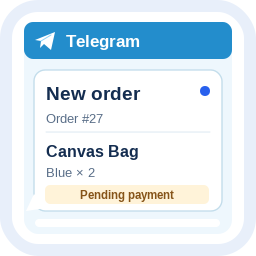
Send clear WooCommerce order summaries to your team through your own Telegram bot, with background delivery and privacy controls.

By salmoni
Direct booking system for vacation rentals. iCal sync from Airbnb and Booking.com, email notifications, Gutenberg block editor support.
Floating WhatsApp and Telegram contact buttons for WordPress with click-to-chat, CTA bubbles, layout controls, micro-sounds, and page tools.

By tinyfinch
Add the Tiny Finch live chat widget to your website and engage with visitors directly from Slack, Telegram or WhatsApp.

By Miguel Angel Terrón
You talk, VozCaster does the rest: it cleans your audio, writes the post, makes the cover and publishes the episode on your WordPress.
CHOOSE WHAT YOUR WEBSITE NEEDS
Start with the task you need to solve. Compare features, WordPress and PHP requirements, update history and the author’s documentation. Test changes on a private copy and avoid adding several plugins for the same job.
This independent directory displays plugin information on WebFulHost and links to the official source. Packages are not mirrored or installed here. A plugin can include paid extensions or services with separate terms from its author.
