

WPC Admin Columns
By WPClever
WPC Admin Columns offers a listing of columns in the admin dashboards for different post-types.
★ 5.0/5 (4)1,000+ active installations
- Version
- 2.3.9
- WordPress
- 5.9+
- Updated
- 26 Nov 2026
WORDPRESS RESOURCES
Explore public plugin information from the official WordPress.org directory. Compare what a plugin does, its requirements and update history before adding it to your website.
Explore WordPress hosting →10,000 matching plugins reported by WordPress.org · Page 28 of 50
Source: WordPress.org
Data refreshed 28 Nov 2026 02:22 UTC
By WPClever
WPC Admin Columns offers a listing of columns in the admin dashboards for different post-types.
Build membership sites with tiered plans, content restriction, drag-&-drop custom registration & login form builder, and built-in payment system.

By NextScripts
Automatically publishes blog posts to profiles, pages, groups, and communities across supported social networks.

By Delower Hossain
Safely disable XML-RPC, block attacks with HTTP 403, stop pingback DDoS, and protect your WordPress site with a single click.

By Notification Master
Send push, email, and real-time notifications across 12+ channels like WhatsApp, Slack, and Discord. Boost engagement automatically.

By Eyup Gulsen
Instant popup and sound alerts for new WooCommerce orders — never miss a sale again!

By Wow-Company
Easily create floating menus of varying complexity. Use its capabilities to place unique navigation on the site.
By WP Darko
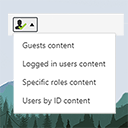
The simplest way of controlling who sees what in your posts/pages. Restrict content to logged in users only (or guests, or by roles) with simple short …
The permissions plugin for posts, pages, categories, tags and more. You can control permissions for roles, individual users, and even custom groups.

By itthinx
Turn your site into a powerful membership solution. Manage members, teams and access to content easily.

By Dharmendra Patidar
A professional and highly customizable maintenance mode plugin with a modern Figma-inspired UI and social media integration.

By iSaumya
Monitor your WP site the right way with most important stats like Database, PHP details, PHP Memory, RAM Usage, CPU load, Server Uptime & more.
CHOOSE WHAT YOUR WEBSITE NEEDS
Start with the task you need to solve. Compare features, WordPress and PHP requirements, update history and the author’s documentation. Test changes on a private copy and avoid adding several plugins for the same job.
This independent directory displays plugin information on WebFulHost and links to the official source. Packages are not mirrored or installed here. A plugin can include paid extensions or services with separate terms from its author.

