Add Custom Image To Your Category / Custom Taxonomy Field With Advanced Category and Custom Taxonomy Image Plugin.
★ 5.0/5 (5)1,000+ active installations
- Version
- 2.1.1
- WordPress
- 5.6+
- PHP
- 8.0+
- Updated
- 21 Sep 2026
View plugin details ↗A tool to show your products’ brands, generate reliability and guarantee the quality of your products.
★ 4.0/5 (7)8,000+ active installations
- Version
- 2.46.0
- WordPress
- 6.9+
- PHP
- 8.0+
- Updated
- 5 Nov 2026
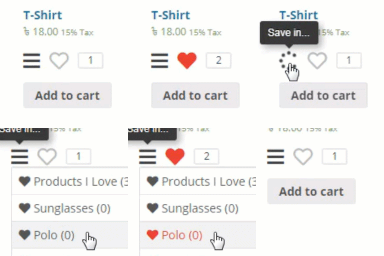
View plugin details ↗Add wishlist feature to your WooCommerce product or any post types.
★ 3.8/5 (13)300+ active installations
- Version
- 1.0.46
- WordPress
- 3.8+
- Updated
- 8 Jun 2026
View plugin details ↗Create any custom price label for any WooCommerce product.
★ 4.3/5 (15)1,000+ active installations
- Version
- 2.5.15
- WordPress
- 4.1+
- Updated
- 24 Sep 2026
View plugin details ↗Make your content look great when shared on social media. Automatically controls how your pages appear on Facebook, X, and other social platforms.
★ 4.3/5 (15)2,000+ active installations
- Version
- 3.1.0
- WordPress
- 6.0+
- PHP
- 7.4+
- Updated
- 11 Nov 2026
View plugin details ↗Display WooCommerce products by customer's country.
★ 4.3/5 (4)400+ active installations
- Version
- 1.4.11
- WordPress
- 4.4+
- Updated
- 7 Oct 2026
View plugin details ↗SK ePaper Manager makes it easy to publish digital newspapers or magazines on your WordPress site using images or PDF files.
★ 5.0/5 (1)100+ active installations
- Version
- 2.1.0
- WordPress
- 5.0+
- PHP
- 7.4+
- Updated
- 8 Nov 2026
View plugin details ↗Automatically archive all emails sent from your site. Store them in your WordPress database or send them to external services.
★ 5.0/5 (3)100+ active installations
- Version
- 4.8.0
- WordPress
- 6.4+
- PHP
- 8.2+
- Updated
- 24 Nov 2026
View plugin details ↗Lightweight Elementor addon for news, blog & magazine sites with post grids, sliders, tickers, template kits & custom header footer builder.
★ 4.9/5 (44)10,000+ active installations
- Version
- 4.2.3
- PHP
- 5.3+
- Updated
- 6 Nov 2026
View plugin details ↗Badges Woo lets you display custom badges over WooCommerce product images without editing the original image.
★ 5.0/5 (3)200+ active installations
- Version
- 1.2.2
- WordPress
- 5.0+
- PHP
- 8.0+
- Updated
- 21 Oct 2026
View plugin details ↗NP Quote Request for WooCommerce enables your customers to easily submit quote requests to your WooCommerce store. Flexible WooCommerce Quote Request!
★ 4.6/5 (87)8,000+ active installations
- Version
- 2.4.17
- WordPress
- 6.3+
- PHP
- 7.4+
- Updated
- 8 Oct 2026
View plugin details ↗Easily show or hide any WordPress block. Schedule block visibility. Restrict blocks to specific screen sizes, user roles, post types, and more.
★ 4.9/5 (108)40,000+ active installations
- Version
- 3.8.1
- WordPress
- 6.6+
- PHP
- 7.4+
- Updated
- 18 Sep 2026
View plugin details ↗