Edit text, images, links and backgrounds directly in the WordPress Custom HTML block, and give it Wide and Full width alignment.
★ 5.0/5 (4)100+ active installations
- Version
- 0.6.2
- WordPress
- 6.4+
- PHP
- 7.4+
- Updated
- 24 Sep 2026
View plugin details ↗The easiest way to customize the WooCommerce My Account page menu — drag & drop, custom pages, icons, badges, role-based visibility, and more.
★ 5.0/5 (1)80+ active installations
- Version
- 1.3.0
- WordPress
- 5.8+
- PHP
- 7.4+
- Updated
- 18 Feb 2026
View plugin details ↗Group WordPress users with custom taxonomies and terms.
★ 4.3/5 (6)600+ active installations
- Version
- 2.7.1
- WordPress
- 6.4+
- PHP
- 7.4+
- Updated
- 10 Oct 2026
View plugin details ↗Widget Options gives you super powers to control your site’s sidebar widgets and all Gutenberg blocks on pages, posts & other custom post types.
★ 4.9/5 (1,517)100,000+ active installations
- Version
- 4.2.7
- WordPress
- 5.6+
- PHP
- 7.4+
- Updated
- 11 Nov 2026
View plugin details ↗Puts all your pages and posts into the admin bar so you can simply hover, view & edit anything in one click.
★ 4.8/5 (22)1,000+ active installations
- Version
- 3.37
- WordPress
- 4.3.0+
- Updated
- 22 Apr 2026
View plugin details ↗The ultimate solution for booking appointments, meetings, webinars, events, sales calls, and more.
★ 4.7/5 (46)20,000+ active installations
- Version
- 2.6.0
- WordPress
- 6.0+
- PHP
- 7.4+
- Updated
- 4 Nov 2026
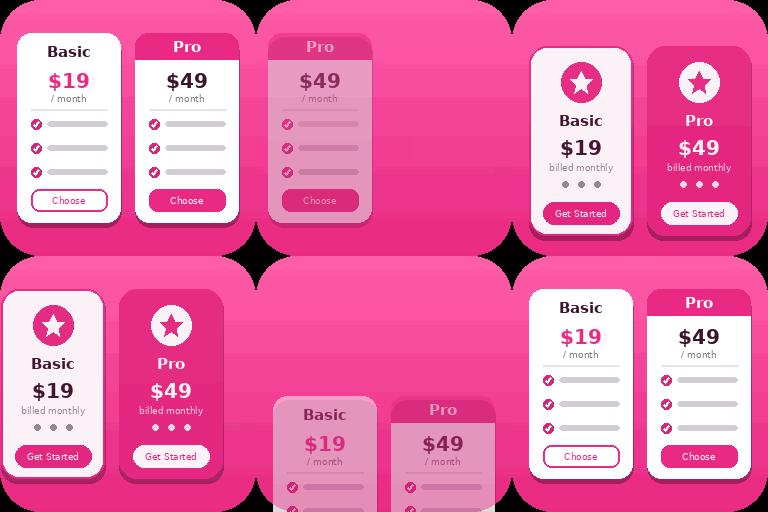
View plugin details ↗Create responsive WordPress pricing tables in Gutenberg with customizable plans, feature lists, CTA buttons, and clear pricing comparisons.
★ 5.0/5 (2)200+ active installations
- Version
- 1.2.0
- WordPress
- 6.5+
- PHP
- 7.4+
- Updated
- 8 Nov 2026
View plugin details ↗Your Jetpack, Controlled.
★ 4.8/5 (11)1,000+ active installations
- Version
- 1.7.6
- WordPress
- 4.6+
- Updated
- 23 Sep 2026
View plugin details ↗The easiest and most secure way to collect payments with WooCommerce via Razorpay (Cards, NetBanking, UPI, Wallets, QR Code, Apple Pay).
★ 4.8/5 (18)900+ active installations
- Version
- 2.4.0
- WordPress
- 5.0+
- PHP
- 7.2+
- Updated
- 2 Nov 2026
View plugin details ↗Form Plugin - Create responsive form using best contact form builder just in minutes. Yeah, it's really that easy.
★ 2.8/5 (17)2,000+ active installations
- Version
- 1.1.33
- WordPress
- 3.3+
- Updated
- 2 Sep 2026
View plugin details ↗Create responsive team member showcases in Gutenberg with modern layouts, profile cards, social icons, and customizable staff sections.
★ 5.0/5 (1)100+ active installations
- Version
- 1.1.0
- WordPress
- 6.5+
- PHP
- 7.4+
- Updated
- 22 Nov 2026
View plugin details ↗Image Gallery – Photo Albums Plugin is the easiest tool to create image gallery, photo albums, portfolio and also photo slider.
★ 3.8/5 (277)2,000+ active installations
- Version
- 1.3.171
- WordPress
- 4.6+
- PHP
- 7.2+
- Updated
- 1 Sep 2026
View plugin details ↗