CloudSecure WP Securityは、管理画面とログインURLをサイバー攻撃から守る、国産・日本語対応のセキュリティ対策プラグインです。 簡単な設定だけで、不正アクセスや不正ログインからWordPressを保護し、サイトのセキュリティを高めます。
★ 5.0/5 (2)200,000+ active installations
- Version
- 1.4.19
- WordPress
- 5.3.15+
- PHP
- 7.1+
- Updated
- 13 Nov 2026
View plugin details ↗Sticky Social Link is a Floating/Sticky Social Link Plugin. This Plugin will make Your social media links sticky/floating on your website.
★ 5.0/5 (4)1,000+ active installations
- Version
- 2.0.1
- WordPress
- 6.0+
- PHP
- 7.0+
- Updated
- 11 Jun 2026
View plugin details ↗A WordPress publishing toolkit for AI alt text, SEO, GEO, schema markup, social sharing, performance, and website health.
★ 4.9/5 (34)9,000+ active installations
- Version
- 3.3.2
- WordPress
- 6.0+
- Updated
- 14 Nov 2026
View plugin details ↗Supercharge your custom post type archives by letting visitors filter posts by their terms/categories. This plugin handles the whole thing for you!
★ 4.9/5 (68)2,000+ active installations
- Version
- 2.6.1
- WordPress
- 4.3.0+
- Updated
- 19 Nov 2026
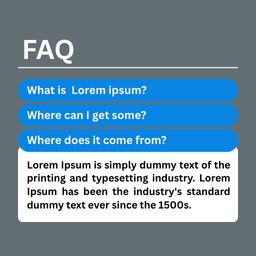
View plugin details ↗A simple and powerful FAQ Block plugin to showcase your visitor Frequently Asked Questions in an engaging way.
★ 5.0/5 (1)0+ active installations
- Version
- 1.0.1
- WordPress
- 5.0+
- PHP
- 7.4+
- Updated
- 24 Mar 2026
View plugin details ↗Simple secure login and user management through your Google Workspace for WordPress (using oAuth2 and MFA if enabled).
★ 4.6/5 (64)10,000+ active installations
- Version
- 3.5.2
- WordPress
- 5.5+
- PHP
- 7.2+
- Updated
- 29 Sep 2026
View plugin details ↗Impress your audience with beautiful image gallery with lightbox.
★ 4.2/5 (5)4,000+ active installations
- Version
- 1.4.3
- WordPress
- 6.0+
- PHP
- 7.4+
- Updated
- 15 Nov 2026
View plugin details ↗Adds settings that you might expect to find in the WordPress core.
★ 3.9/5 (7)200+ active installations
- Version
- 3.3.2
- WordPress
- 5.3+
- PHP
- 7.4+
- Updated
- 25 Oct 2026
View plugin details ↗A visual editor to customize the CSS styling of anything on your site - from Google fonts to responsive layouts.
★ 5.0/5 (44)10,000+ active installations
- Version
- 7.5.6.0
- WordPress
- 6.5+
- PHP
- 8.3+
- Updated
- 18 Nov 2026
View plugin details ↗Anticipate your clients’ questions and eliminate doubts with informative FAQ.
40+ active installations
- Version
- 1.0.1
- WordPress
- 5.0+
- Updated
- 19 Sep 2025
View plugin details ↗With this lightweight plugin you can create a contact form.
★ 4.8/5 (50)6,000+ active installations
- Version
- 19.2
- WordPress
- 6.0+
- PHP
- 7.4+
- Updated
- 18 Nov 2026
View plugin details ↗Powerful chat / chatbot / Fb chat and cart saver app for WordPress and WooCommerce, free as long as you want.
★ 5.0/5 (12)2,000+ active installations
- Version
- 1.0.13
- WordPress
- 4.5+
- PHP
- 5.6+
- Updated
- 9 Jul 2026
View plugin details ↗