A Widget toolbox that adds visibility management and helps to control where widgets, sidebars and content are shown efficiently.
★ 4.7/5 (15)800+ active installations
- Version
- 3.0.0
- WordPress
- 6.5+
- PHP
- 7.4+
- Updated
- 20 Dec 2025
View plugin details ↗A private team wiki in WordPress: pages inside pages, written in the block editor.
★ 5.0/5 (2)20+ active installations
- Version
- 0.1.1
- WordPress
- 7.1+
- PHP
- 8.2+
- Updated
- 10 Nov 2026
View plugin details ↗Secure client portal for WordPress: private folders, client file uploads, sharing, previews and email notifications. No code, any theme.
★ 4.4/5 (57)1,000+ active installations
- Version
- 2.2.2
- WordPress
- 6.0+
- PHP
- 7.4+
- Updated
- 20 Nov 2026
View plugin details ↗Build a digital business card with a scannable QR code, a downloadable vCard and tap-to-call contact links. No CSS needed.
★ 4.3/5 (4)1,000+ active installations
- Version
- 2.1.9
- WordPress
- 6.5+
- PHP
- 7.4+
- Updated
- 17 Nov 2026
View plugin details ↗Watermark PDF for WordPress and WooCommerce is an easy-to-use plugin that lets you add text and image watermarks to PDF files to protect them from una …
★ 5.0/5 (1)100+ active installations
- Version
- 1.0.6
- WordPress
- 5.3.0+
- PHP
- 7.1.3+
- Updated
- 28 Jan 2026
View plugin details ↗AI support chatbot trained on your website, docs and PDFs. Answers customer questions 24/7 as a chat widget, block or shortcode. Free plan included.
★ 4.5/5 (2)200+ active installations
- Version
- 1.2.1
- WordPress
- 6.3+
- PHP
- 7.4+
- Updated
- 23 Sep 2026
View plugin details ↗Create video galleries from your YouTube channel or playlists with a Gutenberg block – grid and playlist layouts, fully customizable.
300+ active installations
- Version
- 1.0.4
- WordPress
- 6.5+
- PHP
- 7.1+
- Updated
- 26 Jul 2026
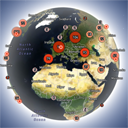
View plugin details ↗Interactive 3D globe that shows your website visitors worldwide in real time and historically, with a fast lightweight Land Cover skin.
★ 5.0/5 (12)60+ active installations
- Version
- 1.5.5
- WordPress
- 5.4+
- PHP
- 7.2+
- Updated
- 20 Nov 2026
View plugin details ↗Photo Gallery is a cool responsive image gallery plugin with beautiful views
★ 4.8/5 (19)1,000+ active installations
- Version
- 6.9.3
- WordPress
- 4.0+
- Updated
- 13 Nov 2026
View plugin details ↗Interactive 3D Models & 360° Product Views in WordPress — No Code Required
★ 5.0/5 (2)10+ active installations
- Version
- 2.0.22
- WordPress
- 5.5+
- PHP
- 7.4+
- Updated
- 13 Nov 2026
View plugin details ↗Osom for YouTube enhances the user experience with the YouTube embed block.
90+ active installations
- Version
- 1.0.1
- WordPress
- 6.3+
- PHP
- 7.4+
- Updated
- 17 Sep 2026
View plugin details ↗Advanced Scrollbar lets you add a scrollbar with customizable color, width, background, and speed for a sleek, branded user experience.
★ 3.0/5 (7)600+ active installations
- Version
- 1.1.13
- WordPress
- 6.5+
- PHP
- 7.1+
- Updated
- 21 Nov 2026
View plugin details ↗