imoje
By ING Pay
Add payment via ING Pay (imoje) to WooCommerce
★ 5.0/5 (2)2,000+ active installations
- Version
- 4.16.1
- PHP
- 5.6+
- Updated
- 8 Sep 2026
WORDPRESS RESOURCES
Explore public plugin information from the official WordPress.org directory. Compare what a plugin does, its requirements and update history before adding it to your website.
Explore WordPress hosting →5,324 matching plugins reported by WordPress.org · Page 29 of 50
Source: WordPress.org
Data refreshed 20 Nov 2026 17:33 UTC
By ING Pay
Add payment via ING Pay (imoje) to WooCommerce
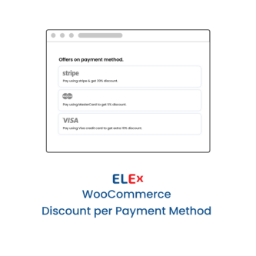
By ELEXtensions
It will be a pleasant little surprise for customers if you offer a discount based on the payment method they have chosen on the Checkout page.

By Shamalli
A WordPress directory plugin for business listings: categories, locations, fields, maps, and AI that writes the listing fields for you.

By VillaTheme
Engage customers while collecting their email address with a well-designed popup. Optionally reward them with coupons.

By CDEK Integrator
Integration with CDEK delivery for your WooCommerce store.
The official PayPal Enterprise Payments extension for WooCommerce. Accept credit cards, PayPal, Apple Pay, Google Pay, Venmo, ACH Direct Debit, BNPL, …

By WP Hosting AS
Login with Vipps and MobilePay is the easiest way to sign in and create an account. No need to worry about usernames and passwords.
Appointment scheduling & event booking plugin for WordPress. Let clients self-schedule 24/7, register for events, and pay at booking.
Payments & Invoicing plugin for WordPress to quickly and easily sell online. Create Buy Now buttons or inline checkout forms in seconds to accept …

By Plerdy
See in WordPress what happened on your site today and yesterday: orders, errors, lost clicks, recordings and what to fix first.
Gutenberg WooCommerce Builder Blocks. Comes with WooCommerce Template Builder, Product Comparison, Quick View, Wishlist, And Variation Swatches on you …

By jetmonsters
Advanced form builder plugin for Gutenberg. Create forms from the ground up, customize the existing ones, and style them up – all in one editor.
CHOOSE WHAT YOUR WEBSITE NEEDS
Start with the task you need to solve. Compare features, WordPress and PHP requirements, update history and the author’s documentation. Test changes on a private copy and avoid adding several plugins for the same job.
This independent directory displays plugin information on WebFulHost and links to the official source. Packages are not mirrored or installed here. A plugin can include paid extensions or services with separate terms from its author.