

YayCurrency – WooCommerce Multi-Currency Switcher
By YayCommerce
WooCommerce Multi-Currency made easy, powerful, and flexible.
★ 4.8/5 (114)7,000+ active installations
- Version
- 3.3.5
- WordPress
- 4.7+
- PHP
- 5.4+
- Updated
- 23 Aug 2026
WORDPRESS RESOURCES
Explore public plugin information from the official WordPress.org directory. Compare what a plugin does, its requirements and update history before adding it to your website.
Explore WordPress hosting →2,962 matching plugins reported by WordPress.org · Page 29 of 50
Source: WordPress.org
Data refreshed 22 Nov 2026 01:42 UTC
By YayCommerce
WooCommerce Multi-Currency made easy, powerful, and flexible.

By wpluna
Renders ACF or Secure Custom Fields repeater values in Elementor loop items and loop grids via Dynamic Tags.

By Concerted Action
Provides Action Network (actionnetwork.org) action embed codes as shortcodes and a calendar and signup widget

By AllAccessible
Agentic AI accessibility tools for WordPress: auto-fix alt text, ARIA & HTML for WCAG/ADA. Per-page & site scores, TTS, disability profiles.

By Riaan K.
Replace the default WooCommerce Thank You page (order received page) with a custom Thank You page.

By Xavi Ivars
Display and rotate quotes anywhere on your WordPress site. Fully integrated with WordPress Custom Post Types, Gutenberg blocks, and REST API.

By Simply Static
Convert WordPress to static HTML. Boost performance 3-5x. Eliminate security vulnerabilities. Deploy anywhere.
By Pampa Dev
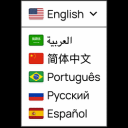
Translate your WordPress site with a polished Google Translate language switcher for instant visitor translation.

Events slider, carousel, grid, list & timeline with filter bar. Eventful is a The Events Calendar addon with Gutenberg block & shortcode support.

By Jeroen Schmit
Manage and publish events for your theater, live venue, cinema, club or festival.
A WordPress publishing toolkit for AI alt text, SEO, GEO, schema markup, social sharing, performance, and website health.
Add customizable WordPress notification bar to display announcements, promotions, coupons, or news at the top or bottom of your website.
CHOOSE WHAT YOUR WEBSITE NEEDS
Start with the task you need to solve. Compare features, WordPress and PHP requirements, update history and the author’s documentation. Test changes on a private copy and avoid adding several plugins for the same job.
This independent directory displays plugin information on WebFulHost and links to the official source. Packages are not mirrored or installed here. A plugin can include paid extensions or services with separate terms from its author.

