

Payment Gateways by Shipping for WooCommerce
By WPFactory
Set "enable for shipping methods" for WooCommerce payment gateways.
★ 5.0/5 (3)400+ active installations
- Version
- 1.6.0
- WordPress
- 4.4+
- Updated
- 11 Sep 2026
WORDPRESS RESOURCES
Explore public plugin information from the official WordPress.org directory. Compare what a plugin does, its requirements and update history before adding it to your website.
Explore WordPress hosting →6,806 matching plugins reported by WordPress.org · Page 29 of 50
Source: WordPress.org
Data refreshed 22 Nov 2026 09:49 UTC
By WPFactory
Set "enable for shipping methods" for WooCommerce payment gateways.

By Automattic
Redefining your editorial workflow.

By Galaxy Weblinks
Keep track of plugins you activate or deactivate through the dashboard by viewing when each and every one of them was enabled or disabled.

By Narinder Singh
Turn PDF files into interactive flipbooks or scrollable viewers and display them on WordPress pages or posts using shortcodes.

By wpweaver
A useful shortcode and widget collection for Weaver Xtreme

By colorlibplugins
Customize your WordPress login page with live preview. Change logo, background, colors, and form styling without coding.

By Cool Plugins
This addon will helps you to easily represent Google Web stories in the Page/Post using Elementor Widget and shortcodes.

By VillaTheme
Faview - Virtual Reviews for WooCommerce generates and displays canned reviews to boost your customer engagement.

Create WordPress websites with free forms, Gutenberg blocks, popups, sliders, countdowns, animations, pre-built pages, patterns & The Theme Designer

By WebToffee
Best WooCommerce coupons plugin to create advanced coupons and discount codes with auto-apply, BOGO, free shipping, giveaways, and discount rules.
By Cool Plugins
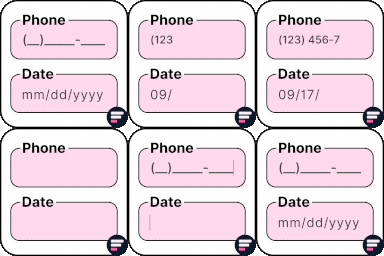
Add input masks to Elementor Pro or Hello Plus form fields - phone, date, time, credit card, CPF, CNPJ, CEP & more for accurate entries.
The Dynamic Pricing With Discount Rules plugin enables bulk discounts for WooCommerce products. Its simple design allows easy setup in minutes.
CHOOSE WHAT YOUR WEBSITE NEEDS
Start with the task you need to solve. Compare features, WordPress and PHP requirements, update history and the author’s documentation. Test changes on a private copy and avoid adding several plugins for the same job.
This independent directory displays plugin information on WebFulHost and links to the official source. Packages are not mirrored or installed here. A plugin can include paid extensions or services with separate terms from its author.
