

Interactive Promo
By WPDeveloper
Engage your potential audience with an exciting promo.
★ 5.0/5 (1)40+ active installations
- Version
- 1.3.3
- WordPress
- 6.0+
- PHP
- 7.4+
- Updated
- 15 Nov 2026
WORDPRESS RESOURCES
Explore public plugin information from the official WordPress.org directory. Compare what a plugin does, its requirements and update history before adding it to your website.
Explore WordPress hosting →773 matching plugins reported by WordPress.org · Page 29 of 50
Source: WordPress.org
Data refreshed 29 Nov 2026 03:13 UTC
By WPDeveloper
Engage your potential audience with an exciting promo.

By bdthemes
The Advanced Image block lets you design stylish, customizable WordPress Images with layout controls, pre-made styles, and integrated icons.

By Abdullah Nahian
Showcase modern sections, WooCommerce storefronts, and global headers & footers with adaptive design-system styling for Elementor.

By Tommaso G. Scibilia
Masino1967 Image Filters Collection: Photo filter effects for the Image block and Featured Image block of the FSE block editor.
By Website366.com
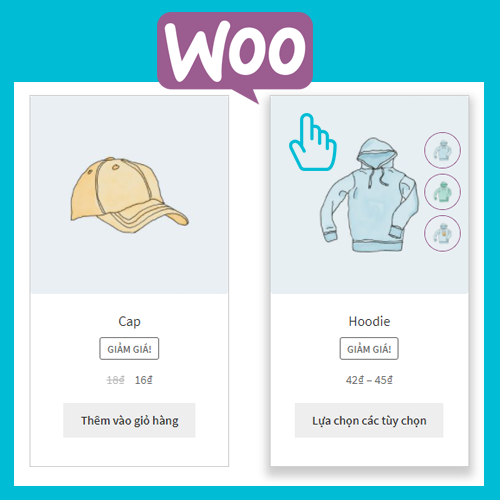
Add effects when hovering over product Loop woocommerce, display more photo gallery, enlarge product photo gallery Thêm hiệu ứng khi hover sản phẩm L …

By gopi_plus
This plugin which allows you to simply and easily show random image anywhere in your template files or using widgets with onclick pretty photo zoom.
Organize the WordPress Media Library with unlimited media folders, subfolders, Smart Folders, and a lightweight file manager.

By BeautifulPlugins
Advanced Gutenberg blocks for creating beautiful, modern and eye-catching WordPress pages in the block editor.

By virodigital
AI landing page builder: describe your business and get a complete bespoke page — design, copy, AI images, SEO — in minutes. Edit by chat or click.

By akaundal10
A modern, high-performance 3D Coverflow perspective image slider plugin for WordPress with live admin customization and smooth touch controls.

By codepeople
CP Image Store with Slideshow is an online store for the sale of image files: images, predefined pictures, clipart, drawings, vector images.

By tishonator
Add Your Team Members and Showcase Your Team with Mobile-Friendly and Responsive Grid by Inserting a Widget, Shorcode or a Gutenberg Block.
CHOOSE WHAT YOUR WEBSITE NEEDS
Start with the task you need to solve. Compare features, WordPress and PHP requirements, update history and the author’s documentation. Test changes on a private copy and avoid adding several plugins for the same job.
This independent directory displays plugin information on WebFulHost and links to the official source. Packages are not mirrored or installed here. A plugin can include paid extensions or services with separate terms from its author.
