View the WordPress admin as a different role or visitor, switch between users, temporarily change your capabilities, set screen settings for roles.
★ 4.9/5 (49)9,000+ active installations
- Version
- 1.8.10
- WordPress
- 4.1+
- PHP
- 5.2.4+
- Updated
- 19 Oct 2026
View plugin details ↗
By Northern Beaches Websites
With WP Custom Admin Interface you can easily customise the WordPress admin and login interfaces.
★ 4.7/5 (160)20,000+ active installations
- Version
- 7.44
- WordPress
- 3.0.1+
- Updated
- 11 Nov 2026
View plugin details ↗A utility plugin to make the WordPress admin screen more comfortable and easier to use. You can hide unnecessary items and add useful features.
★ 5.0/5 (1)70+ active installations
- Version
- 3.8.4
- WordPress
- 5.9+
- PHP
- 7.4+
- Updated
- 7 Sep 2026
View plugin details ↗Clone Post or Page with it's contents and settings in just one click.
★ 4.5/5 (8)70,000+ active installations
- Version
- 1.3
- WordPress
- 5.0+
- PHP
- 7.2+
- Updated
- 21 May 2026
View plugin details ↗Hide the WordPress admin bar on your website for all users or for specific user roles. Lightweight, no setup needed.
★ 4.5/5 (30)20,000+ active installations
- Version
- 2.0
- WordPress
- 3.5+
- PHP
- 5.6+
- Updated
- 9 Nov 2026
View plugin details ↗More than 20 special blocks for Gutenberg to build complex pages and animations with highest possible web vitals score.
★ 4.8/5 (106)70,000+ active installations
- Version
- 13.2.4
- WordPress
- 6.9+
- PHP
- 7.3+
- Updated
- 18 Nov 2026
View plugin details ↗Take full control of your WordPress admin bar: hide items, reorder menus, and design a cleaner toolbar for every user.
★ 4.4/5 (24)3,000+ active installations
- Version
- 1.1.12
- WordPress
- 5.0+
- PHP
- 7.0+
- Updated
- 15 Oct 2026
View plugin details ↗Better manage admin notices & never miss important developer messages!
★ 4.9/5 (21)10,000+ active installations
- Version
- 1.6.2
- WordPress
- 5.3+
- PHP
- 7.4+
- Updated
- 17 Nov 2026
View plugin details ↗Nested Pages provides a drag and drop interface for managing pages & posts in the WordPress admin, while maintaining quick edit functionality.
★ 4.7/5 (126)90,000+ active installations
- Version
- 3.3.5
- WordPress
- 3.8+
- PHP
- 8.0+
- Updated
- 23 Nov 2026
View plugin details ↗Lets any Administrator simplify the WordPress Admin interface, on a per-user basis, by turning specific menu/submenu sections off.
★ 5.0/5 (31)10,000+ active installations
- Version
- 3.1.2
- WordPress
- 3.0.1+
- Updated
- 17 Nov 2026
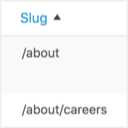
View plugin details ↗Adds a URL path column to all admin post type edit screens. Works with posts, pages, and any custom post type including WooCommerce products.
★ 4.9/5 (31)5,000+ active installations
- Version
- 2.0.2
- WordPress
- 5.2+
- PHP
- 7.4+
- Updated
- 20 Aug 2026
View plugin details ↗Easy Drag & Drop Page Builder. A complete solution to create a WordPress Website, Custom Themes, Landing Pages, Coming Soon & Maintenance Mode Pages.
★ 4.9/5 (4,699)600,000+ active installations
- Version
- 6.20.13
- WordPress
- 5.0+
- PHP
- 5.6+
- Updated
- 17 Nov 2026
View plugin details ↗