Transform your website into a hiring hub with our WordPress Job Board Plugin. Post jobs, attract talent, and manage applications—all in one place.
★ 5.0/5 (4)90+ active installations
- Version
- 1.1.1
- WordPress
- 6.2+
- PHP
- 7.4+
- Updated
- 14 Nov 2025
View plugin details ↗Post jobs, collect applications with CVs, and manage applicants in WordPress. Includes Gutenberg blocks, spam protection and privacy tools.
★ 4.8/5 (6)100+ active installations
- Version
- 2.0.0
- WordPress
- 6.3+
- PHP
- 7.4+
- Updated
- 3 Nov 2026
View plugin details ↗Add AI-powered job listings, resume upload, and a contact form to your WordPress site. Applications go straight to your ChatHire dashboard.
★ 5.0/5 (4)0+ active installations
- Version
- 1.3.5
- WordPress
- 5.8+
- PHP
- 7.4+
- Updated
- 18 Jul 2026
View plugin details ↗Create career pages for job listings, hiring or recruiting great talent with Crew HRM. It helps manage employee info, leave requests, onboarding
★ 5.0/5 (9)100+ active installations
- Version
- 1.2.3
- WordPress
- 6.3+
- PHP
- 7.4+
- Updated
- 1 Jun 2026
View plugin details ↗The ultimate WordPress Job Board plugin. Create a recruitment website with unlimited job listings, candidate profiles, and company pages.
★ 5.0/5 (1)90+ active installations
- Version
- 1.15.0
- WordPress
- 6.0+
- PHP
- 7.4+
- Updated
- 18 Nov 2026
View plugin details ↗Brings WP Job Manager into BuddyPress member profiles: post and manage jobs, list resumes, track applications, and publish job activity to the stream.
★ 3.8/5 (5)90+ active installations
- Version
- 3.0.1
- WordPress
- 6.5+
- PHP
- 8.0+
- Updated
- 19 Nov 2026
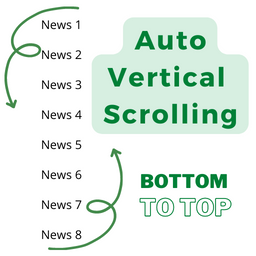
View plugin details ↗Post Auto Vertical Scrolling plugins bottom to top. Simple but flexible.
★ 5.0/5 (3)100+ active installations
- Version
- 2.2.3
- WordPress
- 5.9+
- PHP
- 7.4+
- Updated
- 13 Apr 2026
View plugin details ↗
By Weblizar - WordPress Themes & Plugin
A powerful and robust plugin to create and manage job portal on your WordPress website where recruiter can post job requirements.
10+ active installations
- Version
- 4.4
- Updated
- 11 Sep 2026
View plugin details ↗Just Install and click to resize your font plugins. Simple but flexible.
★ 5.0/5 (1)100+ active installations
- Version
- 1.04
- WordPress
- 5.9+
- PHP
- 7.4+
- Updated
- 13 Apr 2026
View plugin details ↗Show the upcoming birthdays of your BuddyPress members in a widget, block-widget area or shortcode, so your community never misses a celebration.
★ 5.0/5 (1)300+ active installations
- Version
- 2.5.1
- WordPress
- 6.5+
- PHP
- 8.1+
- Updated
- 20 Nov 2026
View plugin details ↗Easily allow users to download PDFs after submitting a form with customizable shortcodes. No coding required – just install and configure!
★ 3.2/5 (6)400+ active installations
- Version
- 2.2.6
- WordPress
- 5.8+
- PHP
- 7.4+
- Updated
- 15 Mar 2026
View plugin details ↗Manage Job listing from front-end & WP admin panel. JobBoard has Employer & Candidates directory & frontend Dashboard. Nice & clean full ajax design.
★ 5.0/5 (8)80+ active installations
- Version
- 1.2.8
- WordPress
- 4.9+
- PHP
- 5.2.4+
- Updated
- 24 May 2025
View plugin details ↗