

20+ Gutenberg Blocks with endless options, enabling top-notch efficiency for high-performance dynamic website creation.
★ 4.8/5 (337)600,000+ active installations
- Version
- 3.9.1.2
- WordPress
- 6.6+
- PHP
- 7.4+
- Updated
- 19 Nov 2026
WORDPRESS RESOURCES
Explore public plugin information from the official WordPress.org directory. Compare what a plugin does, its requirements and update history before adding it to your website.
Explore WordPress hosting →4,388 matching plugins reported by WordPress.org · Page 3 of 50
Source: WordPress.org
Data refreshed 20 Nov 2026 07:18 UTC
20+ Gutenberg Blocks with endless options, enabling top-notch efficiency for high-performance dynamic website creation.
Build responsive FAQ sections with accordion themes, FAQ schema for SEO rich results, Gutenberg block and shortcode support – no coding needed.

By ShapedPlugin LLC
AI-Powered FAQ Generator. Gutenberg FAQ & Accordion Blocks, Image Accordion, Accordion Slider, WooCommerce Product FAQ – Elementor & Shortcode Ready.
Generate WooCommerce product feeds for 200+ marketplaces. Sell on Google Shopping, Facebook, Instagram, Amazon, eBay, TikTok and more.
Create eye-catching product badges and labels for your WooCommerce store in seconds. 100+ built-in product badges. Fully customizable.

By BeRocket
With Product Tabs Manager for WooCommerce You can create any tabs for products that you want
Real-time SEO guidance, schema, and AI built in. Help search engines and AI systems understand your content. All AI tools included, no hidden fees.
WooCommerce Product Catalog, product enquiry, and request a quote plugin. Hide prices, disable cart, and collect enquiries easily.
By Pektsekye
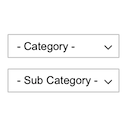
Displays product categories as dependent drop-down selects.

By edo888
Translate WordPress with Google Translate multilanguage plugin using AI translation. Complete multilingual SEO solution, WooCommerce compatible.

By futurenext
Let your buyers customize and view their personalized product before purchasing. Get happy customers buying from you and coming back for more.
Use product and country rules to show or hide payment gateways in WooCommerce, improve margins, and streamline checkout.
CHOOSE WHAT YOUR WEBSITE NEEDS
Start with the task you need to solve. Compare features, WordPress and PHP requirements, update history and the author’s documentation. Test changes on a private copy and avoid adding several plugins for the same job.
This independent directory displays plugin information on WebFulHost and links to the official source. Packages are not mirrored or installed here. A plugin can include paid extensions or services with separate terms from its author.





