A self-contained accessibility options toolbar with 13 features. No third-party scripts, no external API calls, no subscriptions.
20+ active installations
- Version
- 1.0.0
- WordPress
- 5.6+
- PHP
- 7.4+
- Updated
- 9 May 2026
View plugin details ↗Compare real image previews, adjust quality and approve smaller files for WordPress while keeping the originals.
0+ active installations
- Version
- 1.5.0
- WordPress
- 6.5+
- PHP
- 8.1+
- Updated
- 11 Nov 2026
View plugin details ↗Finds product images smaller than 500×500 px, the Google Merchant Center minimum from 31 January 2027, and larger originals already on your site.
0+ active installations
- Version
- 1.0.1
- WordPress
- 6.2+
- PHP
- 7.4+
- Updated
- 25 Nov 2026
View plugin details ↗Find what's broken, unfinished or hard to use on every page, in plain English, and fix much of it in one click. Free, with Undo on every fix.
★ 5.0/5 (1)0+ active installations
- Version
- 2.3.1
- WordPress
- 6.5+
- PHP
- 8.0+
- Updated
- 21 Nov 2026
View plugin details ↗Generate customized or automated Nice QR codes for pages, posts or products and show the qrcode with shortcode, widget or block.
90+ active installations
- Version
- 1.2.12
- WordPress
- 5.0+
- PHP
- 7.4.2+
- Updated
- 1 Aug 2026
View plugin details ↗Zoom images with your mouse wheel or touch gestures, then drag to explore the details.
0+ active installations
- Version
- 1.3.3
- WordPress
- 5.8+
- PHP
- 7.4+
- Updated
- 14 Nov 2026
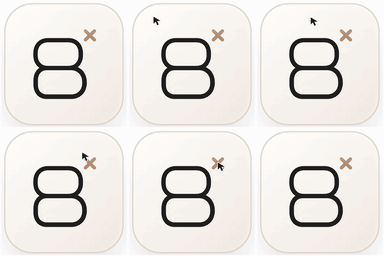
View plugin details ↗Turn your logo or any image into a custom mouse cursor – native and lag-free, or as a smooth animated follower. Touch-safe and accessible.
0+ active installations
- Version
- 1.0.1
- WordPress
- 6.0+
- PHP
- 7.4+
- Updated
- 30 Oct 2026
View plugin details ↗One floating button for cookie consent, accessibility, sticky add-to-cart and product video stories.
0+ active installations
- Version
- 0.9.1
- WordPress
- 6.0+
- PHP
- 7.4+
- Updated
- 20 Oct 2026
View plugin details ↗This is a plugin that extends Gutenberg's blocks.
★ 4.8/5 (6)100,000+ active installations
- Version
- 1.132.0
- WordPress
- 6.6+
- PHP
- 7.4+
- Updated
- 20 Nov 2026
View plugin details ↗The best WordPress plugin for displaying related posts. Simple and flexible, with a powerful proven algorithm and inbuilt caching.
★ 4.8/5 (1,169)100,000+ active installations
- Version
- 5.30.11
- WordPress
- 3.7+
- PHP
- 5.3+
- Updated
- 11 Nov 2024
View plugin details ↗A lightweight accessibility toolkit with user-controlled text size, contrast, motion, cursor, reading, and keyboard assistance features.
0+ active installations
- Version
- 2.3.0
- WordPress
- 6.4+
- PHP
- 7.4+
- Updated
- 1 Nov 2026
View plugin details ↗Create professional, responsive, and accessible popups with guided templates and controlled visual styles. Free, without upsells or a complex builder.
200+ active installations
- Version
- 0.2.2
- WordPress
- 6.0+
- PHP
- 7.4+
- Updated
- 15 Oct 2026
View plugin details ↗