Show coupon discount info using shortcodes. Allows to render coupon information and content conditionally, based on the validity of coupons.
★ 4.9/5 (17)1,000+ active installations
- Version
- 5.1.0
- WordPress
- 6.5+
- PHP
- 7.4+
- Updated
- 18 Nov 2026
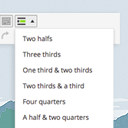
View plugin details ↗A responsive and easy-to-use tool for dividing your content in your posts/pages. This ultra-lightweight plugin allows you to put your content in colum …
★ 5.0/5 (10)2,000+ active installations
- Version
- 1.1.1
- WordPress
- 3.6+
- Updated
- 29 Jan 2026
View plugin details ↗Runs shortcodes in the Custom HTML widget, the one sidebar widget WordPress still renders without executing them.
★ 5.0/5 (2)400+ active installations
- Version
- 26.0
- WordPress
- 5.0+
- PHP
- 7.4+
- Updated
- 10 Aug 2026
View plugin details ↗Uix Shortcodes brings an amazing set of beautiful and useful elements to your site that lets you do nifty things with very little effort.
★ 5.0/5 (4)300+ active installations
- Version
- 2.0.5
- WordPress
- 4.2+
- PHP
- 5.6+
- Updated
- 12 Jun 2026
View plugin details ↗Display shortcodes in the title, description, Facebook and Twitter fields, and other locations for Rank Math SEO.
★ 5.0/5 (3)1,000+ active installations
- Version
- 1.2.5
- WordPress
- 4.0+
- Updated
- 2 Nov 2026
View plugin details ↗Shortcode to show any current, past, and future date or time. Display this, previous, or next year, month, day, etc.
★ 4.9/5 (31)10,000+ active installations
- Version
- 2.7.1
- WordPress
- 4.0+
- PHP
- 7.4+
- Updated
- 25 Aug 2026
View plugin details ↗Create custom "Shortcodes" easily for HTML, JavaScript, CSS code snippets and use the shortcodes within posts, pages & widgets
★ 4.9/5 (227)100,000+ active installations
- Version
- 6.6
- WordPress
- 4.9.0+
- PHP
- 5.3+
- Updated
- 14 Sep 2026
View plugin details ↗Display WordPress posts in beautiful grid, list, slider, and filter layouts. Works with Gutenberg, Elementor, Divi, and Shortcodes.
★ 4.8/5 (265)100,000+ active installations
- Version
- 7.9.11
- WordPress
- 4.5+
- PHP
- 7.4+
- Updated
- 11 Nov 2026
View plugin details ↗Allows you to add shortcodes in WordPress Navigation Menus.
★ 4.7/5 (82)50,000+ active installations
- Version
- 3.5.1
- WordPress
- 3.6+
- PHP
- 5.6+
- Updated
- 10 Feb 2026
View plugin details ↗Add The Events Calendar shortcode, Gutenberg block, or Events Widget Element (Bricks Builder) to show events listing on any WordPress page using smart …
★ 4.9/5 (214)10,000+ active installations
- Version
- 3.0.1
- WordPress
- 5.9.0+
- PHP
- 7.4+
- Updated
- 12 Nov 2026
View plugin details ↗Show the BuddyPress activity stream, members directory and groups directory on any post or page, with shortcodes or Elementor widgets.
★ 4.6/5 (10)600+ active installations
- Version
- 3.0.1
- WordPress
- 6.5+
- PHP
- 8.1+
- Updated
- 4 Nov 2026
View plugin details ↗Embed PDF files in WordPress posts and pages with a responsive PDF viewer block, live Block Editor preview, and no third-party services.
★ 4.7/5 (532)300,000+ active installations
- Version
- 5.0.2
- WordPress
- 6.6+
- PHP
- 7.4+
- Updated
- 14 Aug 2026
View plugin details ↗