Modern WordPress admin workspace with Studio Hub, security tools, Focus Mode, notifications, branded login, and advanced appearance controls.
★ 5.0/5 (3)10+ active installations
- Version
- 1.6.4
- WordPress
- 6.0+
- PHP
- 7.4+
- Updated
- 12 Oct 2026
View plugin details ↗exovia YouTube DSGVO enables you to integrate YouTube Videos in a privacy compliant manner that respects the privacy of your visitors.
★ 5.0/5 (2)100+ active installations
- Version
- 1.1.1
- WordPress
- 5.8+
- PHP
- 7.0+
- Updated
- 20 Aug 2026
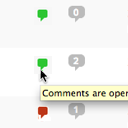
View plugin details ↗Conveniently close or open comments for a post or page with one click from the admin listing of posts.
★ 4.9/5 (10)5,000+ active installations
- Version
- 3.0
- WordPress
- 4.7+
- Updated
- 17 Apr 2025
View plugin details ↗My Tickets is a simple, flexible platform for selling event tickets with WordPress.
★ 4.9/5 (27)600+ active installations
- Version
- 2.3.2
- WordPress
- 6.4+
- PHP
- 7.4+
- Updated
- 14 Oct 2026
View plugin details ↗Give AI the full picture of any plugin or theme: one-click AI context packs, code search, a built-in MCP server and secret redaction.
★ 5.0/5 (3)10+ active installations
- Version
- 2.3.0
- WordPress
- 5.8+
- PHP
- 7.4+
- Updated
- 23 Oct 2026
View plugin details ↗Import products from the Datafeedr API into your WooCommerce store.
★ 4.8/5 (38)4,000+ active installations
- Version
- 1.3.11
- WordPress
- 3.8+
- PHP
- 7.4+
- Updated
- 5 Oct 2026
View plugin details ↗Limit access to specified media files to logged in users. Very simple interface with no unnecessary features.
20+ active installations
- Version
- 1.0.20260828
- WordPress
- 6.7+
- PHP
- 7.4+
- Updated
- 28 Aug 2026
View plugin details ↗Adds a widget which uses Javascript to dynamically expand or collapse the set of posts for each category.
★ 4.1/5 (57)4,000+ active installations
- Version
- 3.0.12
- WordPress
- 5.0+
- Updated
- 12 Feb 2026
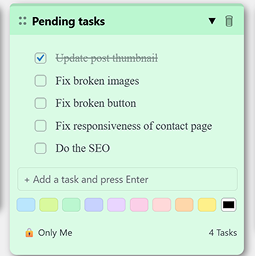
View plugin details ↗Create draggable admin notes with checklists inside your WordPress dashboard. Easily organize important tasks or reminders.
0+ active installations
- Version
- 1.0.0
- WordPress
- 5.5+
- PHP
- 7.4+
- Updated
- 17 Mar 2026
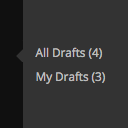
View plugin details ↗Adds links to 'All Drafts' and 'My Drafts' under Posts, Pages, and other custom post type sections in the admin menu.
★ 5.0/5 (7)400+ active installations
- Version
- 2.4
- WordPress
- 4.6+
- Updated
- 14 Apr 2025
View plugin details ↗For site owners who want clean SEO basics without the bloat: titles, descriptions, schema, sitemaps, plus llms.txt and AI crawler controls.
★ 4.0/5 (1)90+ active installations
- Version
- 2.2.2
- WordPress
- 6.2+
- PHP
- 7.4+
- Updated
- 5 Nov 2026
View plugin details ↗Show Review Stars via ProvenExpert.com in WordPress
★ 3.8/5 (5)700+ active installations
- Version
- 2.0.06
- WordPress
- 6.0.0+
- PHP
- 8.0+
- Updated
- 18 Jul 2024
View plugin details ↗