

QR Code Woocommerce
By G Matta
Generate and print QR codes for WooCommerce simple/variable products and coupons.
★ 5.0/5 (5)1,000+ active installations
- Version
- 2.1.2
- WordPress
- 6.0+
- PHP
- 7.4+
- Updated
- 29 Jul 2026
WORDPRESS RESOURCES
Explore public plugin information from the official WordPress.org directory. Compare what a plugin does, its requirements and update history before adding it to your website.
Explore WordPress hosting →5,777 matching plugins reported by WordPress.org · Page 3 of 50
Source: WordPress.org
Data refreshed 19 Nov 2026 06:05 UTC
By G Matta
Generate and print QR codes for WooCommerce simple/variable products and coupons.

By VillaTheme
Motivate customers to reach the free shipping threshold with a visual free shipping bar, dynamic messages and progress tracker.

By WP Chill
Create, manage and track fully customizable QR Codes without any Third-Party-APIs.

Hide the WordPress admin bar by user role, block wp-admin access, redirect after login, and tidy the admin menu and notices for each role.

By Ninja Team
Multiple notification bars with React-powered customizer, live preview, smart scheduling, and per-bar display rules.

By WP Overnight
Automatically displays a shopping cart in your menu bar. Works with WooCommerce and Easy Digital Downloads (EDD)
Elementor templates, Header footer builder, Elementor Post Grid, Woocommerce Grid builder, Slider, Forms, Gallery, Nav menu addons, Elementor widgets.
Insert PHP, JavaScript, CSS, HTML, ads & tracking code into WordPress headers, footers, pages & content with conditional logic — no theme editing.

By Catch Plugins
Catch Scroll Progress Bar is a simple, super-light WordPress progress bar plugin to sow the scrolled progress.
Elementor addon: 120+ widgets & templates — Elementor Gallery, Mega Menu, Slider, Form, Post Grid, Accordion, Header Footer Builder & WooCommerce.
Increase order revenue by showing your customers just how close they are to your free shipping threshold.
By wpbranddigital
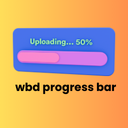
A beautiful and lightweight progress bar block for the WordPress Gutenberg editor with smooth animations and full customization options.
CHOOSE WHAT YOUR WEBSITE NEEDS
Start with the task you need to solve. Compare features, WordPress and PHP requirements, update history and the author’s documentation. Test changes on a private copy and avoid adding several plugins for the same job.
This independent directory displays plugin information on WebFulHost and links to the official source. Packages are not mirrored or installed here. A plugin can include paid extensions or services with separate terms from its author.



