

Add customizable WordPress notification bar to display announcements, promotions, coupons, or news at the top or bottom of your website.
★ 4.8/5 (40)10,000+ active installations
- Version
- 6.5
- WordPress
- 4.4+
- PHP
- 5.3+
- Updated
- 4 Oct 2026
WORDPRESS RESOURCES
Explore public plugin information from the official WordPress.org directory. Compare what a plugin does, its requirements and update history before adding it to your website.
Explore WordPress hosting →5,700 matching plugins reported by WordPress.org · Page 3 of 50
Source: WordPress.org
Data refreshed 20 Nov 2026 12:16 UTC
Add customizable WordPress notification bar to display announcements, promotions, coupons, or news at the top or bottom of your website.

By Wow-Company
Hover Effect is easily applied to your own elements, modified or just used for inspiration.

By Stefano Lissa
Head and Footer plugin lets you to add HTML code to the head and footer sections of your site pages, inside posts... and more!

By Jb Audras
A reading position indicator that you can use where you want: top, bottom or custom position in differents templates or post types.

By Dice Codes
Sticky footer bar for phones with a click to call button, chat button, directions and social icons. Works with any theme.
LoginPress is a Custom Login Page Customizer plugin allows you to easily customize the layout of login, admin login, client login, register pages.
Generate PDF files and print WordPress posts/pages. Customize document header/footer styles and appearance.

By Phil
A plugin to check the age of a visitor before view site or specified content
By Jeroen Sormani
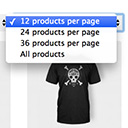
Products Per Page for WooCommerce is a easy-to-setup plugin that integrates a 'products per page' dropdown on your WooCommerce pages.

By colorlibplugins
Easily reorder posts, pages, custom post types, and taxonomies with intuitive drag-and-drop sorting in the WordPress admin.
Display a list of customers who bought a specific product at the bottom of the product edit page in WooCommerce and send them e-mails.
This Social Share Plugin adds advanced social media sharing buttons to your WordPress sites, such as Facebook, WhatsApp, X, LinkedIn, & Pinterest.
CHOOSE WHAT YOUR WEBSITE NEEDS
Start with the task you need to solve. Compare features, WordPress and PHP requirements, update history and the author’s documentation. Test changes on a private copy and avoid adding several plugins for the same job.
This independent directory displays plugin information on WebFulHost and links to the official source. Packages are not mirrored or installed here. A plugin can include paid extensions or services with separate terms from its author.



