

Category Archives Block
By Daniel Floeter
Displays a yearly, monthly, weekly or daily archive of posts for one or more specific categories.
★ 4.2/5 (5)900+ active installations
- Version
- 1.1.0
- WordPress
- 6.6+
- PHP
- 7.0+
- Updated
- 5 Nov 2026
WORDPRESS RESOURCES
Explore public plugin information from the official WordPress.org directory. Compare what a plugin does, its requirements and update history before adding it to your website.
Explore WordPress hosting →10,000 matching plugins reported by WordPress.org · Page 3 of 50
Source: WordPress.org
Data refreshed 21 Nov 2026 17:14 UTC
By Daniel Floeter
Displays a yearly, monthly, weekly or daily archive of posts for one or more specific categories.
WPB Accordion Menu: Responsive accordion, vertical sidebar and mobile menu for WooCommerce categories, navigation menus & Elementor.

By Kushang Tailor
Create attractive WooCommerce product category sections with flexible layouts, editor-friendly controls, and styling options that fit your store.
Display WooCommerce product categories in responsive sliders and grids to boost navigation, engagement, and product discovery.
By Pektsekye
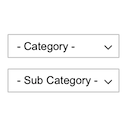
Displays product categories as dependent drop-down selects.

By Sajjad Hossain Sagor
Add Custom Image To Your Category / Custom Taxonomy Field With Advanced Category and Custom Taxonomy Image Plugin.

By QuantumCloud
Display Category based Product Listing for WooCommerce in tab format on any page. Woocommerce category list and woocommerce product table.

By rdvinfotech
Add an image to a category or taxonomy. Display a category image using either a template tag or a shortcode.

By mingocommerce
Are you looking for uploading image to a category ? Yes, Custom Category Image plugin exactly does that.

By Zahlan
The Categories Images is a Wordpress plugin allow you to add image to category, tag or custom taxonomy.

By Elementor
The Elementor Website Builder has it all: drag and drop page builder, Atomic Editor, pixel perfect design, global and reusable style systems, mobile r …
Create a responsive Blog Filter Post Grid to showcase posts. Let visitors filter by Category or Tag easily using Ajax. Supports Elementor and Divi.
CHOOSE WHAT YOUR WEBSITE NEEDS
Start with the task you need to solve. Compare features, WordPress and PHP requirements, update history and the author’s documentation. Test changes on a private copy and avoid adding several plugins for the same job.
This independent directory displays plugin information on WebFulHost and links to the official source. Packages are not mirrored or installed here. A plugin can include paid extensions or services with separate terms from its author.


