Interactive Bangladesh divisional map with clickable regions, shortcode support, and configurable colors.
★ 5.0/5 (2)100+ active installations
- Version
- 2.0.0
- WordPress
- 4.0+
- PHP
- 5.6+
- Updated
- 29 Aug 2026
View plugin details ↗Place a clickable map of Japan's 47 prefectures with a shortcode or block. Per-prefecture links, colors and grouped regions.
10+ active installations
- Version
- 1.0.1
- WordPress
- 6.6+
- PHP
- 8.1+
- Updated
- 21 Aug 2026
View plugin details ↗Elementor templates and widgets - Import professionally designed page templates, sections, and widgets. Build stunning pages in minutes.
★ 5.0/5 (2)20,000+ active installations
- Version
- 1.4.22
- WordPress
- 6.5+
- PHP
- 7.4+
- Updated
- 18 Nov 2026
View plugin details ↗Real-time visitor stats, session replay and heatmaps for your WordPress site. See exactly how visitors use your site - and why they leave.
★ 4.2/5 (59)70,000+ active installations
- Version
- 2.2.0
- WordPress
- 2.0.2+
- Updated
- 19 Aug 2026
View plugin details ↗Elementor addon: 120+ widgets & templates — Elementor Gallery, Mega Menu, Slider, Form, Post Grid, Accordion, Header Footer Builder & WooCommerce.
★ 4.9/5 (4,133)1,000,000+ active installations
- Version
- 6.8.9
- WordPress
- 5.3+
- PHP
- 7.0+
- Updated
- 15 Nov 2026
View plugin details ↗57 native blocks + 18 universal extensions for the WordPress block editor. Forms, dynamic post lists, animations, layouts — no page builder needed.
★ 5.0/5 (3)8,000+ active installations
- Version
- 2.11.1
- WordPress
- 6.7+
- PHP
- 7.4+
- Updated
- 23 Oct 2026
View plugin details ↗Addon Elements for Elementor comes with 40+ widgets and extensions to extend the power of Elementor Page Builder.
★ 4.8/5 (172)80,000+ active installations
- Version
- 1.15.1
- WordPress
- 5.0+
- PHP
- 7.4+
- Updated
- 3 Nov 2026
View plugin details ↗AI chatbot agent, MCP & human live chat for customer support. Unified chat inbox for website live chat, WhatsApp, Facebook Messenger, Instagram, email
★ 5.0/5 (778)30,000+ active installations
- Version
- 1.5.2
- WordPress
- 4.7+
- Updated
- 15 Nov 2026
View plugin details ↗Best WordPress interactive image map plugin to create responsive SVG maps, floor plans, soundboards, shoppable lookbooks with hotspots & audio guides
★ 5.0/5 (3)50+ active installations
- Version
- 1.25.2
- WordPress
- 6.0+
- PHP
- 7.4+
- Updated
- 19 Nov 2026
View plugin details ↗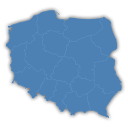
By iworks (Marcin Pietrzak)
Interactive map of Poland, which allows you to attach links to the region.
★ 4.7/5 (3)400+ active installations
- Version
- 1.2.1
- WordPress
- 6.0+
- Updated
- 22 Feb 2025
View plugin details ↗Build any type of directory website such as a business directory, job directory, classifieds directory, and more with this WordPress directory plugin.
★ 4.6/5 (699)20,000+ active installations
- Version
- 8.11.3
- WordPress
- 4.6+
- PHP
- 7.4+
- Updated
- 16 Nov 2026
View plugin details ↗GutenBee enhances the Gutenberg editor with more blocks!
★ 4.9/5 (18)6,000+ active installations
- Version
- 2.20.5
- WordPress
- 7.0+
- PHP
- 7.4+
- Updated
- 22 Oct 2026
View plugin details ↗






