Coins Pay for WooCommerce
By coinsph
Accept payments via Coins Wallet. Customers pay through the secure Coins WebPay checkout.
0+ active installations
- Version
- 1.0.0
- WordPress
- 6.5+
- PHP
- 7.4+
- Updated
- 29 Jun 2026
WORDPRESS RESOURCES
Explore public plugin information from the official WordPress.org directory. Compare what a plugin does, its requirements and update history before adding it to your website.
Explore WordPress hosting →143 matching plugins reported by WordPress.org · Page 3 of 12
Source: WordPress.org
Data refreshed 25 Nov 2026 22:58 UTC
By coinsph
Accept payments via Coins Wallet. Customers pay through the secure Coins WebPay checkout.
Accept Bitcoin, Ethereum, USDT, USDC, Solana and other cryptocurrency payments in WooCommerce, paid straight to your own wallet.

By ethereumicoio
Cryptocurrency Ethereum Crypto WordPress Plugin for WooCommerce enables customers to buy Ether, Bitcoin or any ERC20 or NFT (ERC721) token.

By Themepul
100+ Elementor widgets & extensions for WordPress. Build stunning websites with WooCommerce tools, advanced UI elements, and regular updates.
Build faster with 376+ Gutenberg blocks for layouts, content, marketing, media, business, charts, calculators, animations, and more.
By odude
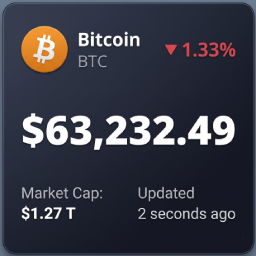
Live crypto prices via DScroll or CoinMarketCap. No API key required. Display using shortcode, Gutenberg block, or Elementor widget.
This plugin enables you to use the GoUrl.io payment gateway and accept bitcoin and other altcoins directly on your Gravity Forms powered custom forms …

myCred is a powerful AI-powered WordPress loyalty points and gamification plugin for points, badges, ranks, and WooCommerce rewards.

By joelledesma
Accept Bitcoin payments on your WooCommerce store. Self-hosted, no third-party fees, no KYC. Your keys, your coins.

By Vishwajith Rajapakse
This plugin allows WooCommerce store owners to set a custom currency symbol. User can add any unicode text or text symbol.
Accept cards, Apple Pay, Google Pay, and crypto. Features subscriptions, payment links, cart recovery, and KYC discounts.

By Boxcoin
Accept Cryptocurrency Payments Within Minutes
CHOOSE WHAT YOUR WEBSITE NEEDS
Start with the task you need to solve. Compare features, WordPress and PHP requirements, update history and the author’s documentation. Test changes on a private copy and avoid adding several plugins for the same job.
This independent directory displays plugin information on WebFulHost and links to the official source. Packages are not mirrored or installed here. A plugin can include paid extensions or services with separate terms from its author.