

Build fast, accessible accordions and FAQ sections in the WordPress block editor.
★ 4.4/5 (16)7,000+ active installations
- Version
- 1.6.0
- WordPress
- 6.6+
- PHP
- 7.4+
- Updated
- 12 Nov 2026
WORDPRESS RESOURCES
Explore public plugin information from the official WordPress.org directory. Compare what a plugin does, its requirements and update history before adding it to your website.
Explore WordPress hosting →1,688 matching plugins reported by WordPress.org · Page 3 of 50
Source: WordPress.org
Data refreshed 23 Nov 2026 03:46 UTC
Build fast, accessible accordions and FAQ sections in the WordPress block editor.
Responsive sliders from images, posts, WooCommerce, videos or blocks — or start from 100+ ready-made templates. Block editor & shortcode.

By Fahim Reza
41 free Divi 5 modules and Divi extensions: image carousel, logo carousel, accordion, tabs, modal popup, video popup, FAQ, and more.
Easily create & manage documentation. Reduce support tickets & scale your customer support workload. This simple plugin works with any theme.

By Shivaji Mitra
WCAG AA compliant carousel, slider & slideshow blocks: keyboard & screen-reader friendly, pause control, no autoplay, plus a card scroller.

By CodeAstrology IT Firm
Easily add plus, minus button for WooCommerce Quantity Input box in everywhere. Such: Single Page, In Loop Quantity input, Cart page , everywhere.
Build a digital business card with a scannable QR code, a downloadable vCard and tap-to-call contact links. No CSS needed.

By Lester Chan
Adds an AJAX rating system for your WordPress site's content.
Build a job board in WordPress with Google Jobs support, built-in application management, and reCAPTCHA — free. No coding needed.

By moiseh
An availability calendar for WooCommerce Bookings: a calendar block and shortcode, the spots left on each slot, sold-out slots and the next free day.
By wpshopmart
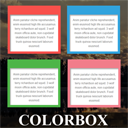
Colorbox panels is the most easiest drag & drop icon box and content box builder for WordPress. You can add unlimited panels with unlimited colour …

By Justin Nealey
57 native blocks + 18 universal extensions for the WordPress block editor. Forms, dynamic post lists, animations, layouts — no page builder needed.
CHOOSE WHAT YOUR WEBSITE NEEDS
Start with the task you need to solve. Compare features, WordPress and PHP requirements, update history and the author’s documentation. Test changes on a private copy and avoid adding several plugins for the same job.
This independent directory displays plugin information on WebFulHost and links to the official source. Packages are not mirrored or installed here. A plugin can include paid extensions or services with separate terms from its author.



