

Shape Dividers Plus for Elementor
By mdburnette
Add 20+ extra SVG shape dividers to Elementor sections and containers.
★ 5.0/5 (2)2,000+ active installations
- Version
- 1.2.6
- WordPress
- 6.5+
- PHP
- 7.0+
- Updated
- 7 Oct 2026
WORDPRESS RESOURCES
Explore public plugin information from the official WordPress.org directory. Compare what a plugin does, its requirements and update history before adding it to your website.
Explore WordPress hosting →3,347 matching plugins reported by WordPress.org · Page 3 of 50
Source: WordPress.org
Data refreshed 20 Nov 2026 03:53 UTC
By mdburnette
Add 20+ extra SVG shape dividers to Elementor sections and containers.
HappyAddons packs Header Footer Builder, Megamenu, Single Post, Archive Page, & 500+ Ready Templates into one powerful Elementor Addons plugin.
GutenKit – Ultimate no-code Gutenberg blocks to design stunning web pages and visually stunning posts in WordPress block editor.

Calculated Fields Form: complete WordPress form builder for contact,booking,quote,payment forms & more,with built-in dynamic calculation capabilities.
Gutenberg block editor with AI. 70+ Gutenberg blocks, patterns, WooCommerce blocks, post grid, gallery, menu with Gutenberg block library.

By wpdesk
Discover a new era of cookie management on your online store website with the reliable Flexible Cookies!

By FlexaTech
A collection of lightweight, customizable blocks for building modern WordPress websites with the block editor.
WP Sticky Sidebar plugin will make your menu or header stick to the side of page, after desired number of pixels when scrolled 📌

By WebHolism
Introduces new form elements into Gravity Forms which allow for simple column creation.
Elementor addon: 120+ widgets & templates — Elementor Gallery, Mega Menu, Slider, Form, Post Grid, Accordion, Header Footer Builder & WooCommerce.
By FullStackWP
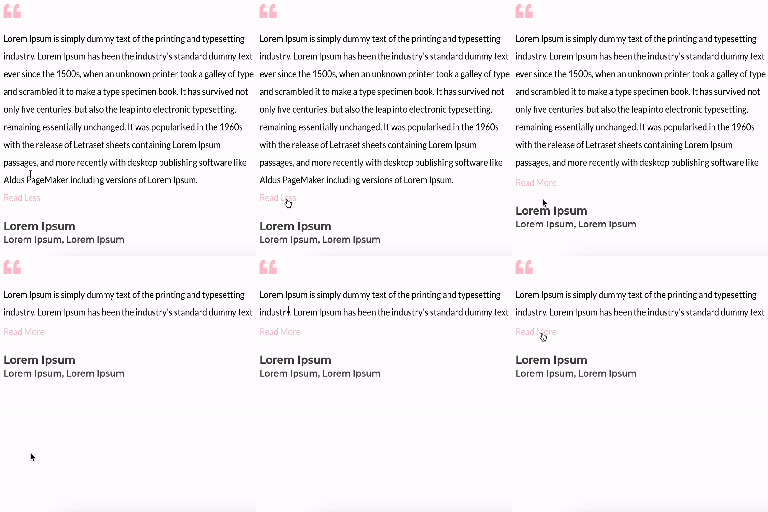
Unfold Text is a straightforward yet powerful add-on for Elementor that allows you to expand and collapse text with ease.
Get Elementor vibe in the WordPress Editor! Powerful Gutenberg blocks with Flexbox containers, responsive controls, and professional design options.
CHOOSE WHAT YOUR WEBSITE NEEDS
Start with the task you need to solve. Compare features, WordPress and PHP requirements, update history and the author’s documentation. Test changes on a private copy and avoid adding several plugins for the same job.
This independent directory displays plugin information on WebFulHost and links to the official source. Packages are not mirrored or installed here. A plugin can include paid extensions or services with separate terms from its author.





