
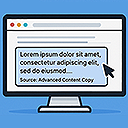
Advanced Content Copy
By The AV Coach
Modifies copied content with customizable text, link, and snippet options when pasted elsewhere.
★ 4.0/5 (1)30+ active installations
- Version
- 1.2
- WordPress
- 5.0+
- PHP
- 7.4+
- Updated
- 22 Aug 2026
WORDPRESS RESOURCES
Explore public plugin information from the official WordPress.org directory. Compare what a plugin does, its requirements and update history before adding it to your website.
Explore WordPress hosting →10,000 matching plugins reported by WordPress.org · Page 3 of 50
Source: WordPress.org
Data refreshed 21 Nov 2026 19:03 UTC
By The AV Coach
Modifies copied content with customizable text, link, and snippet options when pasted elsewhere.
The permissions plugin for posts, pages, categories, tags and more. You can control permissions for roles, individual users, and even custom groups.

By Raju Ahmed
Protect your WordPress content from copying. Disable copy, paste, right click, image dragging, and more.

By Obtain Infotech
Copy/Update posts and pages from one site (blog) to the other sites (blogs) in your WordPress Multisite Network.

By Khushwant Sidhu
Scan your Polylang website for missing translations, URL issues, setup problems and other multilingual errors from one dashboard and fix quickly.

WordPress backup plugin: backups, restore & migration in minutes. Clone or duplicate your site, test updates on a staging copy. 100% unit-tested.
Specific Content For Mobile allows you to create pages and posts content designed for mobile devices.

By Jonathan Horowitz
Content Visibility for Divi Builder.

By WP-EXPERTS.IN
A very useful wordpress plugin to give extra protection for your website content. This plugin give you an option to Disable Copy content or prevent co …
Protect your content from copying, scraping, and inspection using JS blocking, keyword cloaking, noise injection, and optional full encryption.
AI powered SEO assistant & content writer with 40+ templates, chatbot, NLP keyword research, AEO, GEO, SEO analysis for WordPress,

By If-So Dynamic Content
Personalization, A/B testing, and geolocation — easy to use with Elementor, Gutenberg, and all page builders.
CHOOSE WHAT YOUR WEBSITE NEEDS
Start with the task you need to solve. Compare features, WordPress and PHP requirements, update history and the author’s documentation. Test changes on a private copy and avoid adding several plugins for the same job.
This independent directory displays plugin information on WebFulHost and links to the official source. Packages are not mirrored or installed here. A plugin can include paid extensions or services with separate terms from its author.



