

Save Contact Form 7, Elementor, WPForms & Gravity Forms entries in database. View, filter, export form submissions to CSV & analytics reports.
★ 4.9/5 (133)10,000+ active installations
- Version
- 1.6.0
- WordPress
- 5.0+
- PHP
- 8.0+
- Updated
- 13 Nov 2026
WORDPRESS RESOURCES
Explore public plugin information from the official WordPress.org directory. Compare what a plugin does, its requirements and update history before adding it to your website.
Explore WordPress hosting →10,000 matching plugins reported by WordPress.org · Page 3 of 50
Source: WordPress.org
Data refreshed 20 Nov 2026 02:07 UTC
Save Contact Form 7, Elementor, WPForms & Gravity Forms entries in database. View, filter, export form submissions to CSV & analytics reports.

By ThemeHunk
Drag & Drop Contact Form Builder for WordPress to create contact, lead generation, Cloudflare Turnstile CAPTCHA Support.
Build flexible popups and modal windows with multiple popup types, triggers, and display controls.

By WebHolism
Introduces new form elements into Gravity Forms which allow for simple column creation.
By Rodrigo Bogdanowicz
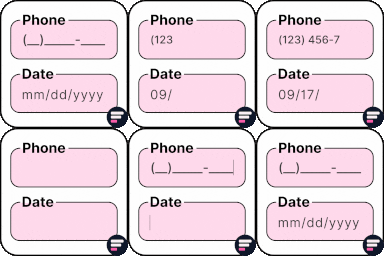
Apply input masks in Elementor form widget fields - phone, date, time, credit card, CPF, CNPJ, CEP & more for valid and error-free entries.
Use Subscribe Forms to grow your email subscriber lists with Subscribe Forms built-in email forms templates and integrations 📧

By webheadcoder
Adds multi-page, multi-step forms to Contact Form 7.

WordPress form builder to create lightweight contact forms, survey forms, feedback forms, booking forms, etc., right inside the block editor.

By Themeisle
Redirect to any page or URL, execute scripts after submission, save data to the database, and unlock additional submission actions for Contact Form 7.

By Noor Alam
Create a WordPress login form and add it to your post, page or sidebar
Ultimate user feedback plugin to ask questions, surveys, polls, from your website in seconds

By sevenspark
Extends Contact Form 7 by adding dynamic form fields that accepts shortcodes to prepopulate form fields with default values and dynamic placeholders.
CHOOSE WHAT YOUR WEBSITE NEEDS
Start with the task you need to solve. Compare features, WordPress and PHP requirements, update history and the author’s documentation. Test changes on a private copy and avoid adding several plugins for the same job.
This independent directory displays plugin information on WebFulHost and links to the official source. Packages are not mirrored or installed here. A plugin can include paid extensions or services with separate terms from its author.


