This plugin prevent copy, cut, paste, inspect element and selection & view source of the content. You can easily enable or disable it from dashboa …
★ 5.0/5 (2)70+ active installations
- Version
- 1.0.1
- WordPress
- 5.4+
- PHP
- 5.4+
- Updated
- 23 Mar 2022
View plugin details ↗Expand your online retailing arena by showcasing your WooCommerce products on the Google Shopping platform.
10+ active installations
- Version
- 1.0.4
- WordPress
- 5.6+
- PHP
- 7.4.0+
- Updated
- 18 Mar 2024
View plugin details ↗Ucard lets you change the design of blog page and other archive pages and you can customize it from the Genesis Theme Settings page.
0+ active installations
- Version
- 1.0.1
- WordPress
- 3.7+
- PHP
- 5.2.4+
- Updated
- 13 Sep 2020
View plugin details ↗Simple way to remove footer credit links.
100+ active installations
- Version
- 1.0.1
- WordPress
- 5.4+
- PHP
- 5.4+
- Updated
- 28 Apr 2022
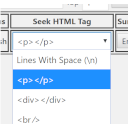
View plugin details ↗This plugin is for content that is copy pasted into Gutenberg editor edited as html in classic block editor.
0+ active installations
- Version
- 1.2
- WordPress
- 5.0+
- PHP
- 7.0+
- Updated
- 16 Aug 2023
View plugin details ↗This plugin add a search bar in wordpress dashbaord widgets page. You can search widgets that is available on your WordPress installation.
★ 5.0/5 (1)0+ active installations
- Version
- 1.0
- WordPress
- 3.0+
- PHP
- 5.4+
- Updated
- 26 Jul 2019
View plugin details ↗Custom Dashboard Bootstrap Dashboard Responsive Design Professional Color UI/UX Outlook Simple Use
10+ active installations
- Version
- 1.0.1
- WordPress
- 3.0.1+
- Updated
- 23 Aug 2017
View plugin details ↗Easy Simple Slider For Frontend is responsive image and content slider, by this plugin you can display slider anywhere your website via short-codes.
0+ active installations
- Version
- 1.0.0
- WordPress
- 3.5+
- PHP
- 5.6+
- Updated
- 14 Jul 2018
View plugin details ↗Custom dashbaord for guest authors, Authors can register, login, manage their posts, profiles and upload avatars directly from from frontend without w …
0+ active installations
- Version
- 2.0
- WordPress
- 4.1+
- Updated
- 6 Aug 2017
View plugin details ↗a Wordpress plugin to easily add AMP slider to your website pages using advanced custom fields.
10+ active installations
- Version
- 1.1
- WordPress
- 3.5+
- PHP
- 5.6+
- Updated
- 17 Jan 2020
View plugin details ↗View CPanel's AWStats report via Wordpress Dashboard page.
★ 1.3/5 (3)50+ active installations
- Version
- 0.7.1
- WordPress
- 3.0.1+
- Updated
- 14 Sep 2015
View plugin details ↗Use this plugin to create custom post types and custom taxonomy.Don't need to write codes any more.Pure WordPress standard followed.
10+ active installations
- Version
- 2.0.0
- WordPress
- 3.2+
- Updated
- 17 Oct 2014
View plugin details ↗