Accept cryptocurrency payments via MetaMask or web3 browser wallets. Restrict content to NFT owners or crypto wallets that make a payment.
★ 4.2/5 (6)40+ active installations
- Version
- 1.7.5
- WordPress
- 4.0+
- Updated
- 20 Oct 2026
View plugin details ↗Secure crypto payment plugin for WordPress
★ 5.0/5 (3)200+ active installations
- Version
- 2.0.0
- WordPress
- 5.2+
- PHP
- 5.6+
- Updated
- 7 May 2026
View plugin details ↗Ether and ERC20 tokens WooCommerce Payment Gateway enables customers to pay with Ether or any ERC20, ERC777 or ERC223 tokens on your WooCommerce store …
★ 3.3/5 (7)10+ active installations
- Version
- 4.18.2
- WordPress
- 4.7+
- PHP
- 7.2.5+
- Updated
- 21 Oct 2026
View plugin details ↗Accept unlimited manual payment methods in WooCommerce — crypto, bank transfer, or any custom method — from a single gateway.
★ 5.0/5 (1)20+ active installations
- Version
- 1.0.0
- WordPress
- 6.0+
- PHP
- 7.4+
- Updated
- 3 May 2026
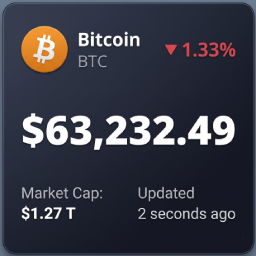
View plugin details ↗Live crypto prices via DScroll or CoinMarketCap. No API key required. Display using shortcode, Gutenberg block, or Elementor widget.
★ 5.0/5 (1)10+ active installations
- Version
- 3.0.4
- WordPress
- 5.0+
- PHP
- 5.6+
- Updated
- 27 Jul 2026
View plugin details ↗Accept ETH, USDC, USDT, DAI, BTC & Lightning in PMP. Non-custodial, low fees, no card chargebacks.
★ 3.7/5 (3)20+ active installations
- Version
- 2.1.0
- WordPress
- 5.8+
- PHP
- 7.2+
- Updated
- 11 Sep 2026
View plugin details ↗Accept ETH, USDC, USDT, DAI, BTC & Lightning in EDD. Non-custodial, low fees, no card chargebacks.
★ 5.0/5 (3)10+ active installations
- Version
- 2.1.0
- WordPress
- 5.8+
- PHP
- 7.2+
- Updated
- 11 Sep 2026
View plugin details ↗Accept Bitcoin, Ethereum, USDT, USDC, Solana and other cryptocurrency payments in WooCommerce, paid straight to your own wallet.
★ 3.0/5 (2)50+ active installations
- Version
- 1.6.2
- WordPress
- 5.8+
- PHP
- 7.2+
- Updated
- 16 Nov 2026
View plugin details ↗Important
100+ active installations
- Version
- 1.3.5
- WordPress
- 6.3+
- PHP
- 7.4+
- Updated
- 3 Jun 2026
View plugin details ↗A simple, free, open-source plugin to confirm common blockchain transactions (USDT/USDC/BTC/ETH) and mark orders paid in Woocommerce.
30+ active installations
- Version
- 1.0.2
- WordPress
- 6.4+
- PHP
- 8.0+
- Updated
- 14 Jul 2026
View plugin details ↗Copperx is the best plugin to accept cryptocurrency payments for your e-commerce store. We support Bitcoin, Ethereum, USDC, USDT, Binance, Coinbase, a …
★ 5.0/5 (1)10+ active installations
- Version
- 1.8.1
- WordPress
- 5.0+
- PHP
- 7.4+
- Updated
- 2 Jun 2026
View plugin details ↗Accept all major cryptocurrencies like Bitcoin, Ethereum, TRC-20 & ERC-20 Tether, TRX, Litecoin, XRP with ALFAcoins plugin for WooCommerce.
★ 5.0/5 (3)10+ active installations
- Version
- 1.2
- WordPress
- 4.3.1+
- PHP
- 7.4+
- Updated
- 15 Apr 2026
View plugin details ↗